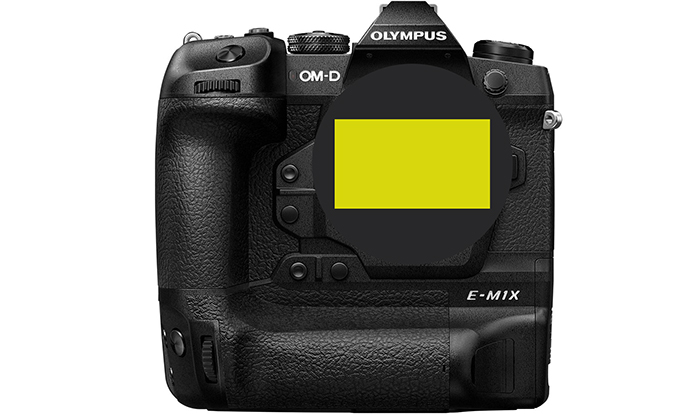
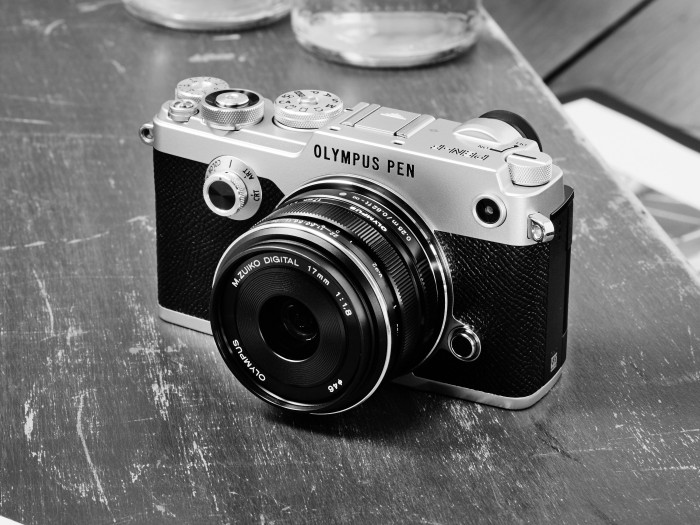
Olympus exits camera business in Korea

Share

This is a surprising news! And the reason behind it is speculated to be an ongoing anti-Japan sentiment and voluntary boycott movement against all Japanese products in South Korea.

Koreatimes reports this:

Olympus plans to exit its camera business in South Korea hit by decreasing sales, focusing instead on optical equipment for medical purposes and scientific equipment, the Korean branch of the Japanese manufacturer said Thursday.

In a statement, Olympus Korea said it will “cease its imaging business in Korea, effective June 30, 2020.” Its Brand Store, a store operated by Olympus Korea in southern Seoul, and its online shopping mall E-store will also be closed on the same day.

The company, however, added it will keep operating the service division until March 31, 2026. The division is responsible for repairing and exchanging Olympus products.

The Korean unit said the decision was mostly because of declining sales volume.

“Olympus Korea had made strenuous efforts to increase the profitability and efficiency of its imaging business by concentrating on mirrorless cameras, including OM-Dand PEN as well as interchangeable lenses. However, over the last few years, the market has sharply declined. As a result, it has become barely possible to sustain the business with profit, leading to the decision to withdraw the imaging business from the market,” the company said.

The company is moving its focus to providing diagnostic and therapeutic products for the medical business including medical endoscopes, laparoscopes and surgical devices. It also sells an integrated operating room system, which provides a touch-screen and voice-control system that allows surgeons to manage a range of medical devices more conveniently.

“Olympus Korea remains committed to contributing to make people’s lives healthier, safer and more fulfilling as a global med-tech company,” Naoki Okada, CEO of Olympus Korea, said in a statement.

Regarding whether the company’s move is in response to ongoing anti-Japan sentiment and voluntary boycott movement against all Japanese products in South Korea, an Olympus Korea official denied such speculation. Last year Japan removed South Korea from its list of preferred trading partners.

“Olympus Korea decided to wind out our camera business here on the background that the volume of the digital camera market is dwindling and the sales of our camera products are also decreasing,” the official said.

Koreans began the voluntary move to boycott goods and service made by Japanese makers when Tokyo announced it would start to impose tougher restrictions on exports of materials used for semiconductors and displays last July in reaction to Seoul’s top court ruling in October 2018 that ordered Nippon Steel to compensate surviving South Korean victims of wartime forced labor.

Very bad news. I hope this will nt happen in other countries too!
Share

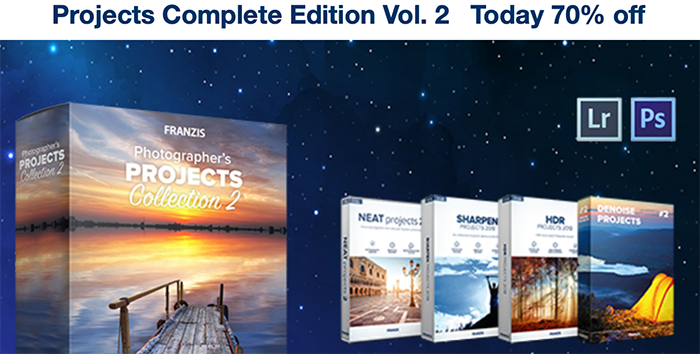
New deal: 70% off on the entire and new Franzis collection

Share

Franzis has updated their software with new UI, faster engine, more Presets, 4K and latest RAW- Support and much much much more. And til May 31 you save 70% on the entire collection (Click here).

You get this professional software for photographers made in Germany:
SHARPEN projects 2 $ 69.00
DENOISE projects 2 pro $ 69.00
HDR projects 6 $ 69.00
NEAT projects 2 $ 69.00
Total prices (RRP) $ 276.00
Exclusive offer only $ 69.00 (get it here)

Share

David Thorpe: A Year In Micro Four Thirds

Share

David Thorpe:

The last year, 2019/20 has been a strong one for the Micro Four Thirds system. I thought I’d take a look back over it with few remarks on what was actually new and what was new to me. The Panasonic S1 proved an interesting diversion but all that extra weight and cost didn’t feel justified for the limited improvement, much as I liked the camera. The E-M5 Mark III mostly impressed, the big Panasonic 10-25mm f/1.7 too, though it was overshadowed for me by a Micro Four Thirds lens costing 1/19th as much! Am I mad?

Share

a bit of everything…

Share


Canon EOS R vs Panasonic G9: Is Full Frame Really Worth It?

Olympus OM-D E-M1 Mark III Tutorial: How to Set Up the Fn Lever (Rob Trek)
Creating a composite image during the lockdown by David Lyon (Olympus Imagespace).
The Long and the Short of It: Wide-Angle and Telephoto Macro Lenses (Explora).
This Lego film camera set brings a classic back to life (DigitalCameraWorld).

Plenty of news on the facebook OMD group, Panasonic FF and the GH5 group.

Share

New Capture One update adds support for the Olympus E-M1III

Share

Today Capture One released the new 13.1.0 update and also a new redesigned website (Click here). It adds support for the new E-M1III.

You can buy the new software here or download a free trial here.

Press text:

Capture One Launches a new update to Capture One 20
Bringing new features, new capabilities, a new product, and a new look, Capture One is providing better solutions for more people, and breaking new ground.  

COPENHAGEN, May 18th, 2020: Capture One, the premiere name in photo editing software, delivers a suite of announcements that highlight new product offerings, expanded capabilities, and a new direction; revealing the company’s continuing evolution and support for creatives.
The development of Capture One 20 remains driven by an evolving roadmap rooted in user feedback from both the Capture One community and creative community overall.  The latest update brings brand new heal and clone tools that reduce the need for external retouching applications while increasing efficiency, and a new Before & After Tool that gives new ways to check your editing progress and to compare your edits.
With user experience in mind, Capture One has also developed a new activation flow with new dialogues, sample images, and interface guidance that make it faster and easier than ever to become a Capture One user. In addition, the company has advanced its Lightroom Catalog importer, and together it not only makes it easier to start using Capture One, but easier to migrate without missing a step.
Beyond that, when it comes to Capture One, users have choice. There are currently a number of Capture One variants such as Capture One Fujifilm and Capture One (for Sony), and now the company is proud to deliver Capture One for Nikon. Similar to the other branded versions, Capture One for Nikon brings the full feature-set of Capture One Pro at a reduced cost to Nikon users.
“We want to enable creatives to achieve their best images as effortlessly as possible, and that is why we drew heavily on feedback from our community to develop Capture One 20,” says Jan Hyldebrandt-Larsen, VP Software Business at Capture One. “It is our commitment to support them by providing a seamless photo editing experience defined by developing the features they ask for and need, as well as the ones they didn’t know they wanted. Capture One 20 is an exciting moment for us as we happily put even more focus and resources behind that goal.”
Learn what’s new in Capture One 20 at: www.captureone.com/20 
Learn more about Capture One at: www.captureone.com 

New features and tools in Capture One 20 

New Heal & Clone Tools

New dedicated brushes for Heal and Clone will automatically create the correct layer when used 
Fast workflow with automatic source-point generation 
Limitless number of heal-zones per layer (previously only 1 p/layer) 
Most flexible healing workflow of any RAW converter 
Moveable source points, and transformable heal zones 
Fast performance and high-quality rendering 

New Before & After Tool

A new dedicated tool placed in the Toolbar with easy keyboard shortcuts 
‘Y’ will toggle before/after on and off 
‘Shift + Y’ will toggle between the two modes:  
Full View and Split View Slider (draggable) 
Fast performing and works on multiple photos in the viewer 
Full View available in all products 
The Split View Slider is not available in Capture One Express variations 

New Lightroom Catalog Import

Improved Lightroom Importer with better descriptions
Allows import of ‘offline files’ (files located on disconnected storage devices).
Capture One automatically imports files once the correct hard drive has been plugged in
Provides a report after the import with information about unsupported files
Basic image adjustments and Catalog structure will be replicated in Capture One

Share