
Robin Wong: Where Panasonic Lost Its Micro Four Thirds Way — And How It Can Win Back Creators

Share

Panasonic changed the camera world in 2008 with the Lumix G1, the first mirrorless and the first Micro Four Thirds body. For years, Panasonic and the MFT ecosystem set the pace that others followed. Yet recent shipment data out of Japan puts Panasonic at roughly 3.4% market share across both L‑Mount full frame and MFT. That implies an even smaller slice for Micro Four Thirds specifically—and a sharp fall from earlier highs.

But a series of decisions let rivals overtake them. Robin Wong listed the five missteps that, together, blunted Panasonic’s momentum—and what could help turn it around.

1) Late to in‑body image stabilization (IBIS)
For years Panasonic leaned on optical stabilization in select lenses while Olympus shipped IBIS in every body from day one. Panasonic didn’t add IBIS until the GX7 in 2013, and that was only 2‑axis. Five‑axis arrived later (GX8 in 2015) and reached true parity in models like the G9. IBIS alone didn’t decide the market, but for travel, handheld video, and low‑light shooting—especially in compact or entry cameras—it’s a must. The hesitation cost them sales and mindshare.

2) Late to reliable subject/face‑tracking autofocus
This one stings because Panasonic smartly pushed video features early with the GH line. But as Sony and Canon put fast, sticky, subject‑tracking autofocus into the hands of everyday shooters, Panasonic’s approach lagged. Solo creators and YouTubers often can’t pull focus manually; they need dependable AF that locks, tracks, and stays quiet. Panasonic’s move to modern phase‑detect subject tracking in recent bodies like the G9 II was welcome—but it arrived years after competitors normalized it across lineups.

3) Intentionally limiting lower‑tier cameras
Panasonic marketed entry models like the GF series and G100 to vloggers and new creators, yet held back critical features such as robust IBIS and dependable subject/face tracking. The result: cameras that looked the part but weren’t as usable for run‑and‑gun shooting. While segmentation is normal, the broader market increasingly expects trustworthy AF and some stabilization—even at the entry level. That’s where volume lives.

4) Bodies that grew too large and heavy
Micro Four Thirds’ founding promise is a small, lightweight system that still delivers professional results. Recent flagships like the G9 II and GH7 are superb performers—but their size and weight now rival, or even exceed, some full‑frame bodies from Canon, Nikon, and Sony. If a camera is as big and heavy as full frame, many buyers will simply choose full frame. MFT should lean into portability, not drift away from it.

5) A confusing pivot to full frame
Brands can and should explore new formats—but Panasonic’s push into full frame via L‑Mount sent mixed signals about its long‑term commitment to MFT. For users heavily invested in Micro Four Thirds, the move raised doubts: is MFT still a priority? Will R&D split dilute progress? Meanwhile, L‑Mount hasn’t exploded in volume to offset those concerns. The perception hit to MFT confidence matters, especially when buyers are weighing a system investment.

What Panasonic can do now according to Robin Wong:

  • Put best‑in‑class AF and IBIS everywhere, including entry models. Don’t gate core usability.
  • Re‑embrace compactness. Make a modern, pocketable GX/GM‑style body that pairs perfectly with small primes.
  • Clarify the roadmap. Publicly commit to MFT long term with lenses and bodies that make the format’s advantages obvious.
  • Ship creator‑first features by default: clean, reliable tracking AF; strong IBIS or lens+body stabilization; good audio; simple streaming; heat‑management that just works.
  • Celebrate the lens ecosystem. Few systems match MFT for breadth of fast, tiny primes—lean into that as a unique advantage.

Do you agree? What did he miss? Drop your thoughts!

Share

a bit of everything…

Share


Wednesday recap: My OM-5 Mark II cheat sheets are out

Today deals at Amazon, BHphoto, Adorama, Amazon DE, Amazon UK, Amazon FR, Amazon IT, FotoErhardt DE, FotoKoch DE.
Let’s Go to the Zoo! (Explora)
Micro Four Thirds 2026 Predictions – New OM System Flagship Coming? (Robin Wong).
Why OM/Olympus f1.8 primes are so special – RED35
Freeze Mode: What is it? (42West)

Plenty of news on the facebook OMD group, Panasonic FF and the GH5 group.
I kindly invite you all to follow me on Youtube, Instagram, Threads for more broader camera talk.

Share

Lumix GH7 vs S1 Mark II: Micro Four Thirds vs Full Frame, Tested in the Real World

Share

Can you really see a massive difference between Micro Four Thirds and full frame when everything is set the same? In this head‑to‑head video shootout, Geeky Nerdy Techy compares the Panasonic Lumix GH7 (MFT) and Lumix S1 Mark II (full frame) using identical settings—same picture profile, same white balance, same exposure strategy—then pushes both cameras through real‑world tests.

Autofocus

Both cameras now run phase‑hybrid AF with human/face detection, and both are fast and sure‑footed. Jump in and out of frame, cover your face, bring objects near the lens—the systems recover smoothly.

Note that some older Micro Four Thirds lenses (e.g., 20mm f/1.7, 14mm f/2.5) don’t drive AF as confidently as modern glass. With contemporary lenses like the Leica 10–25mm f/1.7 on the GH7, AF is excellent.

Verdict: Tie with modern lenses; slight system edge to the S1 Mark II for broader lens compatibility.

Color and picture profiles

Shooting V‑Log on both bodies and grading them the same can make results essentially indistinguishable—skill in post trumps sensor size here. For baked‑in looks, Standard and Natural profiles look great on both, with a personal preference toward the GH7’s color science in some scenes. You can match these closely if you know your grading.

Dynamic range and DR Boost

Backlit, high‑contrast scenes showcase the full‑frame advantage: the S1 Mark II offers more latitude when you need to recover highlights and lift shadows.

  • DR Boost availability: On the S1 Mark II, DR Boost is limited to certain modes and may drop you to 25p; it’s not available in 4K50. On the GH7, DR Boost operates broadly—even at 50p.
  • Rolling shutter: Enabling DR Boost increases rolling shutter; it’s best left off for handheld work if you’re sensitive to skew.

Low light

In ugly, practical indoor light, the GH7 holds up well to ISO 3200 (4000 in a pinch); ISO 5000 starts to show noise. The S1 Mark II’s dual‑gain architecture shines in V‑Log at its second native ISO (around 5000), delivering a cleaner image you can push higher.

Verdict: If you routinely shoot in dim conditions, full frame wins. If you live at ISO 160–1600, MFT is absolutely workable.

Handling and ergonomics

Both bodies feel excellent in hand. The S1 Mark II’s fully articulating screen tilts more flexibly but feels thinner with a looser hinge than the GH7’s sturdier‑feeling mechanism.

Usability highlight: The S1 Mark II’s dedicated SNQ control makes slow/quick switching frictionless.

Audio

Parity. Both support the DMW‑XLR1/2 adapters, include 3.5 mm inputs, and their preamps sound effectively the same in testing.

Stabilization (IBIS)

IBIS is outstanding on both. With e‑stabilization set to Standard, walking shots look very good on each camera. The S1 Mark II also offers a cropless mode, but for vlogging, Standard often provides the best balance of stability and natural motion.

Depth of field and the “look”

Micro Four Thirds can be the better choice for tutorials and product demos where you need more in focus—an f/1.7 lens on MFT behaves like roughly f/3.4 full‑frame equivalence for depth of field while keeping ISO low. For that classic full‑frame subject separation and compression, the S1 Mark II delivers it effortlessly. You can chase a similar look on MFT with specialty lenses, speed boosters, or careful focal length choices.

High frame rate and subject detection

Both cameras shoot 4K 100p slow motion. The S1 Mark II adds subject detection in HFR, which works well and is a meaningful upgrade if you rely on AF while shooting slow motion.

Media and overheating

Each body offers dual slots: CFexpress Type B and UHS‑II SD.

  • Reliability: The GH7 has been rock‑solid—no warnings or shutdowns—even with a non‑approved CFexpress card.
  • Thermals: The S1 Mark II, even on the latest firmware, overheated in 4K50 using CFexpress during late‑afternoon direct sun at around 28°C. SD cards may improve reliability; more testing is warranted.

Verdict: For outdoor events in summer heat, the GH7 inspires more confidence.

Codecs, open gate, and RAW

  • Open gate: GH7 tops out at 5.8K; S1 Mark II goes to 6K.
  • GH7 perk: A 4.4K 50/60p mode that maintains the same aspect ratios and looks superb in V‑Log.
  • S1 Mark II perk: New in‑camera 2.40:1 (Cinescope) recording up to 60p. Prefer Cinescope on GH7? Shoot open gate and crop using markers.
  • External RAW: GH7 at 5.7K/25p and S1 Mark II at higher‑resolution RAW/HQ options both look excellent; differences often come down to taste (e.g., GH7 sky blues were preferred in one setup).

Studio look and lens ecosystem

In the studio, the GH7’s color and handling are lovely, but the S1 Mark II’s full‑frame look isolates subjects beautifully and compresses the background in a way many creators want.

Lenses: Full‑frame currently has the more modern lineup—the Panasonic S‑series primes are consistent, compact, and AF‑friendly. That said, the Leica 10–25mm f/1.7 on GH7 covered much of this project alone and reduced lens swaps.

Key takeaways

  • Autofocus: Tie with modern lenses; slight system edge to S1 Mark II.
  • Color: Both strong; GH7 rendering was often preferred.
  • Dynamic range: Full‑frame advantage; DR Boost behavior favors GH7 at 50p.
  • Low light: S1 Mark II wins with cleaner high ISOs.
  • Ergonomics: Both great; S1 Mark II’s SNQ switch is a smart usability win.
  • IBIS: Both excellent; Standard e‑stabil looks most natural.
  • Overheating: GH7 is bulletproof in heat; S1 Mark II can overheat on CFexpress.
  • Formats: Both do open gate and RAW; S1 Mark II adds in‑camera 2.40:1; GH7 offers a handy 4.4K 50/60p option.
Share

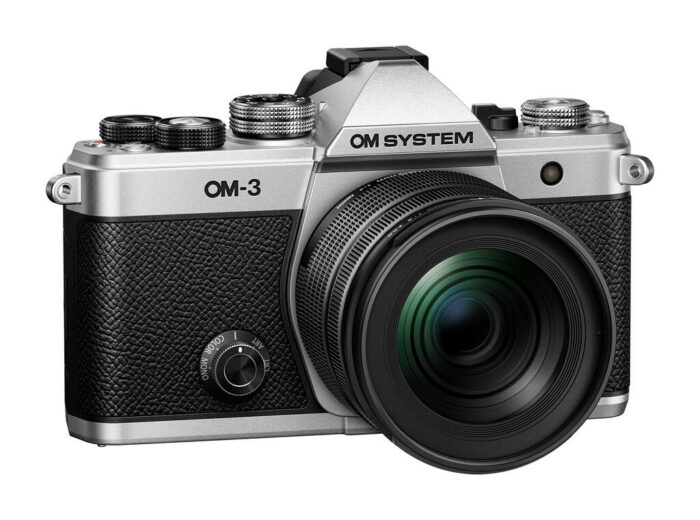
Omar Gonzalez: Final Verdict on the OM-3 by OM System.

Share

Omar Gonzalez had an intensive time with the popular OM-3 (BHphoto, Amazon, Adorama, Fotokoch, FotoErhardt, Calumet, Clifton=

His verdict in short:

The OM System OM-3is a win for creators who shoot outdoors in all weather, love handheld long exposures, and want long-reach results from small lenses. It’s less compelling if you’re chasing top-tier video specs, ultimate low-light performance, or a truly tiny street camera. For those needs, consider alternatives—or hope for a future, smaller PEN-style successor. For everyone else, the OM-3 embodies why Micro Four Thirds still earns a spot in 2025 kits.

Share

a bit of everything…

Share


Micro Four Thirds Photography in North Iceland: Panasonic Lumix GF9 and G100 in the Field

Today deals at Amazon, BHphoto, Adorama, Amazon DE, Amazon UK, Amazon FR, Amazon IT, FotoErhardt DE, FotoKoch DE.
A language of light: The photography of Alessandra Scoppetta (Olympus Passion)
Lumix 20mm f/1.7 II test at Asobinet
Strobe vs. Continuous: Which Should You Add to Your Lighting Setup? (Explora)
How is Interactive Photography Changing the Industry? (42West)

Plenty of news on the facebook OMD group, Panasonic FF and the GH5 group.
I kindly invite you all to follow me on Youtube, Instagram, Threads for more broader camera talk.

Share

Winxvideo AI- Upscale Sony Photography to 10K and Optimize 4K XAVC S Workflows [55% OFF]

Share

If you shoot with Sony Alpha gear, you know the frustration of “almost perfect” shots: Maybe it’s an A7R V landscape that loses its bite after a heavy crop, an A7S III low-light frame that lacks the resolution for a gallery print, a wildlife shot that came out just a bit too soft, or massive 10-bit XAVC S files that are quickly exhausting your SSD storage. None of these are capture failures — they’re post-production bottlenecks. Winxvideo AI serves as a powerful post-production extension of Sony’s BIONZ XR processing limits.

Limited-Time Offer for 43R Readers

For a limited time, the 43R community can get a lifetime license of Winxvideo AI at a 55% discount ($39.95, down from $89.95). This includes unlimited free updates and 30-day money-back guarantee—a solid utility for anyone needing to enhance blurry and noisy shots or manage massive file archives.

55% off Winxvideo AI lifetime license – one-time payment, free updates forever >>

A Comprehensive AI Toolkit for the Sony Ecosystem

Winxvideo AI isn’t a one-trick pony; it’s a full “Image + Video + Audio” toolkit that combines cutting-edge AI enhancement tools with a professional-grade converter, compressor, downloader, recorder, and editor.

For Sony users, this makes it particularly useful as a bridge between raw capture and delivery. Whether you’re working with older A-mount photos, high-resolution Alpha RAWs, or large 10-bit XAVC S clips from FX-series cameras, Winxvideo AI is designed to handle batch-heavy, real-world workflows.

Image AI: Detail Reconstruction without the “Plastic” Look

The biggest hurdle with AI-enhanced images is often that “plastic” look—waxy skin, smeared foliage, or over-sharpened edges. Instead of one-size-fits-all approach, Winxvideo AI uses four tailored models—GenDetail V3, Real Smooth V3, Zyxt, and Anime—to ensure that each enhancement based on content and keep the shot remain faithful to the Sony sensor’s look. It handles everything from high-bitrate Sony RAW files to HEIC and TIFF with full batch processing support.

Upscale to 10K for Crops and Large Prints

Winxvideo AI supports up to 4X upscaling, enabling outputs up to 10K resolution while maintaining structural integrity. This can be useful when rescuing aggressive cropping or preparing large-scale prints from low-resolution captures— for example, extending a 12MP A7S III still or recovering a cropped A7R V frame.


Image showcase 1: A Sony RAW file upscaled to 10K via GenDetail V3, revealing the bee’s delicate antennae and intricate floral veins with lifelike clarity.

Sharpen Details and Fix Soft Shots

For images that missed focus by a small margin, the Image AI can reconstruct lost edges and restore fine structures, keeping the fine structure in fur, feathers, and foliage that usually turn to “mush” in standard upscalers. This is especially helpful for wildlife or sports shooters where reshooting isn’t an option.

Image showcase 2: Take a look at the bird’s feather details — blurred in the image on the left and enhanced with fine texture on the right using Winxvideo AI.

High-ISO Denoising without Over-Smoothing

When capturing handheld blue-hour cityscapes, or fast-action indoor sports, high ISO is unavoidable. Even on sensors like the α7S III or FX30, deep shadows can suffer from grain crawl or blotchy skin tones. Winxvideo AI bypasses the waxy in-camera smoothing. It can denoise photo and maintain real skin textures, natural grain, and tonal depth.

Image showcase 3: A Sony A7 series night shot processed with Real Smooth V3, showing cleaner shadow areas while preserving organic textures.

Face Restoration and Photo Colorization

The tailored AI models can fix soft-focus faces in older family archives with every detail refined and accurately colorize black-and-white photos from the early Alpha era with surprising realism.

Image showcase 4: A before-and-after restoration of the portrait, illustrating reduced blur and improved facial detail, with clearly defined eyelashes and sharper pupils after processing with Winxvideo AI.

AI-Powered Video Toolkit: A Batch-Processing Powerhouse for XAVC S Enhancement and Processing

For video shooters handling everything from 10-bit vlogs to high-speed action, Winxvideo AI addresses the “storage vs. quality” dilemma. It combines a high-efficiency AI enhancement engine with a professional-grade video toolkit, all supporting batch processing to handle entire shoot days at once.

  • AI Upscaling & Blur Fix: Older1080p/720p/480p footages, high-ISO clips, or slightly soft recordings can be upscaled to 4K while improving edge clarity and reducing shadow noise. This is particularly helpful when integrating legacy footage into modern 4K standards.
  • Smooth out Motion and Shaky Clips: Acts as a great supplement to Sony’s Active Mode by removing micro-jitters in handheld telephoto footage. Includes AI frame interpolation to turn 24fps cinematic footage into fluid 60/120fps without the unnatural “soap opera effect”.
  • GPU-Accelerated Transcoding: Converts XAVC S/HS, 10-bit 4:2:2 into widely supported formats (MP4, MOV, MKV, HEVC, H.264) for social media or client previews, with full GPU acceleration.
  • Storage-Friendly Compression (90% Smaller): Shrinks massive 4K 10-bit archives by up to 90%, keeping your high-quality library intact without constant NAS upgrades.
  • Plus: Screen recording, downloading, quick editing (cut, crop, merge, rotate), all backed by hardware acceleration for faster batch exports.


Image showcase 5: A screenshot of the Winxvideo AI interface, demonstrating all key features in one unified interface.

Audio AI: Clean Up Field Recordings and Fix Vocals in Windy or Noisy Environments

Street noise or wind can easily sneak into your footage, even when using quality mics like the Sony ECM-B1M. The built-in Audio AI helps remove background hum and separates vocals from ambient noise, allowing for a clean edit directly from the field without a dedicated audio engineer. You can also convert audio files to MP3, AAC, AC3, FLAC, etc, instantly fix audio-video sync issue, and handle basic parameter adjustments like codecs, sample rates, etc.

55% Off Christmas Special to Enjoy Winxvideo AI’s Full Features

To fully integrate Winxvideo AI into your production pipeline, you can take advantages of the Christmas special and secure a lifetime license for just $39.95 (originally $89.95). Unlike subscription-based software that drains your budget every month, this one-time payment grants lifetime access, unlimited free updates, and full feature access to 3 bonus apps for iPhone manager, background removal, and data backup.

Enter Winxvideo AI special deal page today. See how Winxvideo AI transform your Sony media workflow and take your Alpha-captured content to next level.

Share

Community call: share your best M43 photo of 2025

Share

This year felt like a small revival for Micro Four Thirds. We got the popular OM-3, and there’s strong renewed interest in older classics like the compact Lumix GF and PEN-F series. If OM Digital and Panasonic manage to release a few more exciting products in 2026, Micro Four Thirds could very well be on the rise again.

But beyond the usual Gear Acquisition Syndrome, what really matters are the photos. So feel free to share your one and only best photo of 2025 in the comments below! I’ll repost the three most-liked images in a new post before the end of the year.

P.S. Please add “Permission to repost on 43rumors” if you’re happy for me to repost your photo with full credit. Thanks!

Share