UPDATE: Fake image of the new Panasonic G9 goes around the web

Share

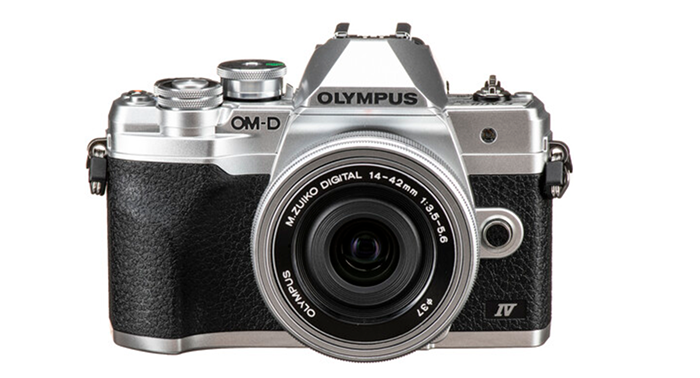
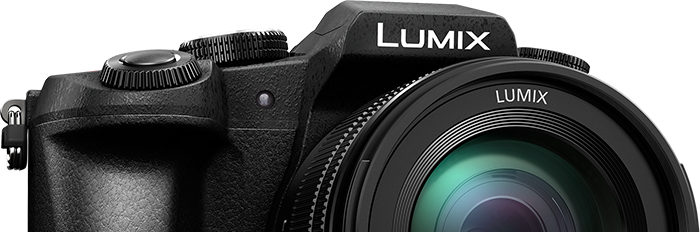
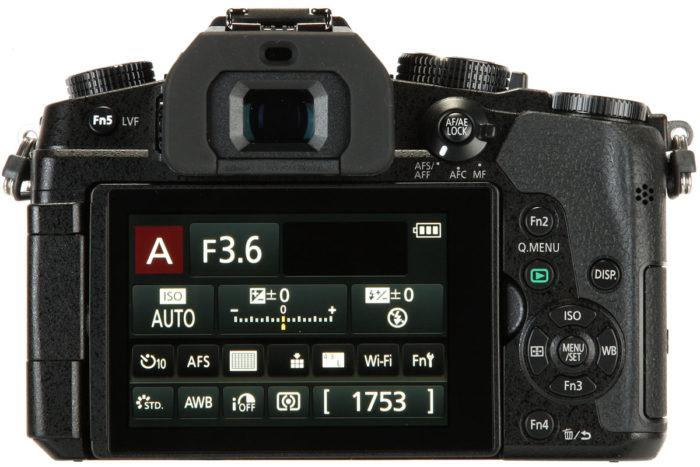
UPDATE: Someone named “O.” sent this picture to all rumors sites. We now have been told by realibale sources that this is a FAKE. Below is the G80 image on which it is based. Be aware of those sites who sell this picture as REAL!

So to sum up. This is not the real image of the G9!

These are the legit specs we got from trusted sources:

– It will have a 20.3 MP sensor without an AA filter.
– 80 MP mode combined from 8 images.
– 6K Photo mode,
– 60FPS AFS.
– 2 slots for SD card
– Magnesium body, freeze proof up to -10 Celsius degrees
– 3,680k-dot OLED LVF
– Rear joystick for focus points
– Top plate LCD
– Large buffer with no slow down
– available after Christmas

Our sources told us the camera will be unveiled on November 6. And you really have to follow 43rumors to not miss any rumors about that camera:
RSS feed: https://www.43rumors.com/feed/
Facebook: https://www.facebook.com/43rumors
Twitter: https://twitter.com/43rumors

Share

(FT4) More specs of the new Panasonic G9

Share

One of our trusted sources shared some more Panasonic G9 specs:

– It will have a 20.3 MP sensor without an AA filter.
– 80 MP mode combined from 8 images.
– 6K Photo mode,
– 60FPS AFS.
– 2 slots for SD card
– Magnesium body, freeze proof up to -10 Celsius degrees
– 3,680k-dot OLED LVF
– Rear joystick for focus points
– Top plate LCD
– Large buffer with no slow down
– available after Christmas

Our sources told us the camera will be unveiled on November 6. And you really have to follow 43rumors to not miss any rumors about that camera:
RSS feed: https://www.43rumors.com/feed/
Facebook: https://www.facebook.com/43rumors
Twitter: https://twitter.com/43rumors

Share

New major 3.0 firmware update for the Yi M1

Share


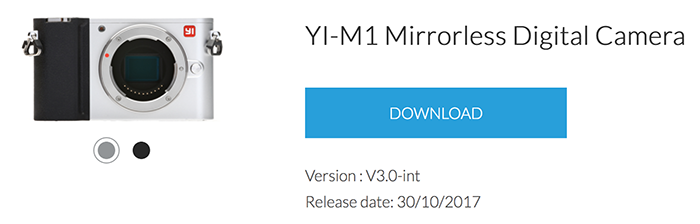
The firmware is only for the international version of YI-M1 mirrorless camera. It is strongly recommended that all users upgrade the YI Mirrorless App to v3.0.0 to implement new features.

Download at yitechnology.com/yi-m1-mirrorless-camera-firmware

Firmware version update logs:

NEW
1. Added exposure control in the mode P/A/S/M for video capture
2. Added AF/MF control for video capture
3. Added RAW+JPG format for still capture
4. Added still image option in Time Lapse
5. Added the option to shoot 1-3 images when using the self-timer function with an initial 2 second or 10 second timer setting
6. Added a histogram in live view mode for both still and video capture
7. Added new focus viewing modes with improved image quality including: 6x, 8x and 10x magnification in MF mode
8. Added 2 ways to show the Metering mode in the UI
9. Added the user guide (Restoring factory settings to view)
10. Added multiple selection of images for deletion.
11. Added 2 new options for the display grid
12. AE algorithm optimization
13. Master Guide template display logic optimized
14. Improved AF speed

FIXED
Fixed some known bugs, and improved the overall stability of the system.

CHANGED
Change the thumbnails in each screen from 9 to 12 images.

Thanks Albert!

Share

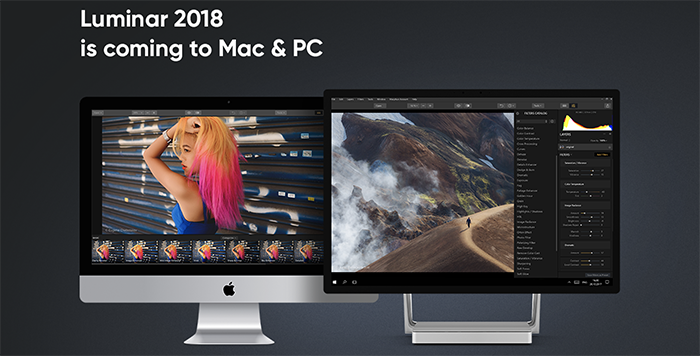
You can now preorder the new Luminar 2018 for Mac and Win

Share

If you have enough of Adobe well…check out this:

You can now preorder the new Luminar 2018 for Mac and Windows at Macphun.com. When it will launch in 2018 it will also have a Digial asset Managment module that works similar to Adobe Lightroom alternative too as it includes a new DAM module. Full info here:

Short press text:

About Luminar:

Luminar 2018 offers everything a modern photographer needs for photo editing, including new filters powered by artificial intelligence, major speed improvements, a dedicated RAW develop module and a forthcoming in 2018; digital asset management platform.

Users will also benefit from the new intelligent Sun Rays filter, LUT support, and real-time noise removal. With workspaces that match different styles of editing, Luminar adapts to deliver a complete experience that avoids clutter and complexity.

Luminar 2018 has been re-built from the ground up for dramatic performance boosts. Existing filters deliver richer colors and depth in less time. A brand new streamlined user interface speeds up working with presets, filters, and masks. With full support of pro options like layers, masks, and blending modes, complex repairs and photo composites can be easily accomplished.

Offer Availability:
Luminar 2018 will be availabe for pre-order on November 1, and released on November 16 at macphun.com.

Pre-Order Pricing:

  • Current users of Aurora HDR may upgrade at a special pre-order price of $39 ($49 MSRP)
  • New users can purchase Aurora HDR 2018 at a special pre-order price of $59 ($69 MSRP)
  • A collection of bonuses will also be included with every purchase.

Pre-Order Bonuses:

  • A Pack of signature presets and textures fro pro photography Nicolesy
  • An Exclusive pack of LUTs
  • 1-year Power plan from SmugMug ($72 value). For new accounts only

Full Press text:


The new Luminar 2018 takes on Adobe Lightroom

New Luminar 2018 delivers a breakthrough photo editing experience for photographers on Mac & Windows with new filters, tools, non-destructive editing, major speed boosts, and a digital asset management platform that will arrive in 2018.

San Diego, CA – November 1, 2017 — Macphun, the California-based software developer today announced Luminar 2018. New users will be able to purchase Luminar 2018 for $59, and current users of Luminar may upgrade at a special price of $39. Preorders start November 1 at www.macphun.com/luminar.

Luminar 2018 offers everything a modern photographer needs for photo editing, including new filters powered by artificial intelligence, major speed improvements, a dedicated RAW develop module and a forthcoming in 2018 digital asset management platform. Users will also benefit from the new intelligent Sun Rays filter, LUT support, and real-time noise removal. With adaptive workspaces that match styles of shooting, Luminar adapts to deliver a complete experience that avoids clutter and complexity.

Luminar 2018 has been re-built from the ground up for dramatic performance boosts. Existing filters deliver richer colors and depth in less time. A brand new streamlined user interface speeds up working with presets, filters, and masks. With full support of pro options like layers, masks, and blending modes, complex repairs and photo composites can be easily accomplished.

And, importantly, Luminar works on both Mac- and Windows-based desktop computers*.

“We’ve taken the time to listen to photographers, and what they want is performance and quality. The less time photographers have to spend in front of computers, the more time they have for taking pictures,” said Alex Tsepko, CEO of Macphun. “Our mission is to get Luminar streamlined with just the tools and controls photographers need. The goal is simple: enable the best-looking images with the least amount of effort.”

Luminar offers a new RAW Engine that can handle high-quality images faster. Plus, it’s easy to solve image problems caused by camera lenses with Lens Correction features that resolve vignette, distortion, and color aberrations. If the photo has unwanted perspective problems, a new Transform tool can quickly solve them.

Instead of stuffing menus with boring effects and old technology, Luminar only puts in filters that photographers want and need. Luminar offers more than 40 filters to correct color, sharpen details, and release creativity. New filters include the ability to enhance color with Brilliance, selectively lighten or darken specific areas of an image with Dodge & Burn, as well as the ability to change the lighting in a photo with Sun Rays.

Want a whole new way to stylize images? Try the new Lookup Table adjustments, known as LUTs**. Creative color, perfect black and white conversions, and even digital films stocks are just a click away. Lightroom users who rely on custom presets created for Lightroom can also easily convert those presets into LUTs (with a free 3rd party tool) and use them inside of Luminar 2018.

Luminar 2018 will become available in November 2017, and in 2018 a free update will provide a new image browser/digital asset manager to help photographers manage their image libraries.

Photographers will be able to sort, rate, organize, and backup their photos at great speed. The new digital asset management platform in Luminar will work without subscription and will work with any storage (cloud or local). It will also bring a number of unique features, that the current Lightroom library can’t boast.

* Workspaces, Clone & Stamp, blend modes for layers, luminosity masking, flip and rotate, as well as some other tools and features will be available in the Mac version at launch, and arrive in the PC version with free updates by the end of the year.

** Look-Up Table (LUT) – is mathematically precise way of taking specific RGB image values form a source image – and modifying them to new RGB values by changing the hue, saturation and brightness values of that source image. LUTs are used creatively to impose a specific ‘Look’ on a source image.

Availability:
Pre-order for Luminar 2018 will run from November 1 until November 16.
Pre-order customers will receive a special price and value-add bonuses such as:
A pack of signature presets & textures from a Pro photographer Nicolesy.
An exclusive pack of LUTs.
1-year Power plan from SmugMug ($72 value). For new accounts only

Pricing:
Mixed-computer households can share the same product key for Mac and PC which can be activated on five devices.

Current users of Luminar may upgrade at a special pre­-order price of $39
New users can purchase Luminar at a special pre­order price of $59

The retail price for Luminar 2018 after November 16 will be:
$49 upgrade for current Luminar HDR users
$69 for new users

The digital asset management platform will arrive in 2018 as the free update for all the users of Luminar 2018.

Preorder at Macphun.com.


Share