
First video taken with the new Panasonic Varicam 35 4K.

Varicam 35: First Look from Varicam on Vimeo.

Short break from MFT rumors to show you one video sample taken with the new Panasonic’s 4K VariCam 35. It’s not a FT camera but it shows you the quality of the 4K footage. It may be that one day we can have that 14-stops quality on a GH5…or not? :)

Thanks Irfin and David (via Newsshooter).

P.S.: New Panasonic’s 4K VariCam 35 specs:
4096 x 2160 Super 35mm CMOS sensor
14+ Stops
Internal 4K – 120fps
UHD in AVC-ULTRA 4K-RAW
Two XLR inputs.

Two technical notes: Site loading issue and facebook photo sharing.

Short technical note:

1) The site sometimes doesn’t load well or not at all. It’s Photokina time and therefore server has some issues :(  Please just reload the site again to see 43rumors again. Thanks!

2) Facebook mysteriously removed the possibility to share pictures on 43rumors account. I still don’t know why they did this but I will try to fix this or find another way to let readers share their pictures.

Thanks!

Amos Chapple proves you can become famous with the Panasonic GM1 :)

You see? The Panasonic GM1 is good enough to make you famous! Well done Amos!!!

Wanna see something incredible? New 512GB fast card from Sandisk announced!

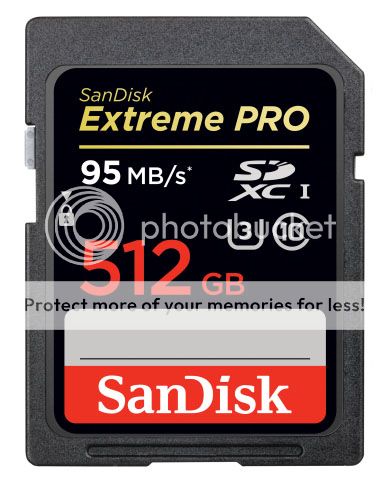
It’s the law of cause (4K and Megapixel race) and effect that’s working on this now: Sandisk announced the new World’s Highest Capacity SD Card for High Performance Video and Photo Capture with 512GB! You can preorder the new SD cards here:
SanDisk 512GB for $729.00 at Adorama (Click here) and BHphoto (Click here).
SanDisk 256GB for $359.00 at Adorama (Click here).
SanDisk 128GB for $189.00 at Adorama (Click here).

Full official Sandisk press text:

Read more

E-M1 2.0 firmware already “unofficially” available at Olympus.

You cannot update your E-M1 using the official Olympus Update Tool yet. But the 2.0 firmware itself has been already uploaded at Olympus Imaging (BIN file here). But to install it on your camera you must follow this “Unoffical” and “at your own risk how-to” steps described at Lightsnowdev:

  1. Download the firmware here
  2. Download my application “Firmware Control” here
  3. Edit the “host” file inside the software
  4. Start the server and select the firmware you just downloaded
  5. Use the official Olympus Update Tool just like normal. More information here.

I repeat this is at your own risk. Wait til the official release on September 15 to get a “save” firmware update!

If someone is that crazy to test this please let us know about the exact improvements! Thanks!