Did Olympus choose the worse possible time to sell their business?

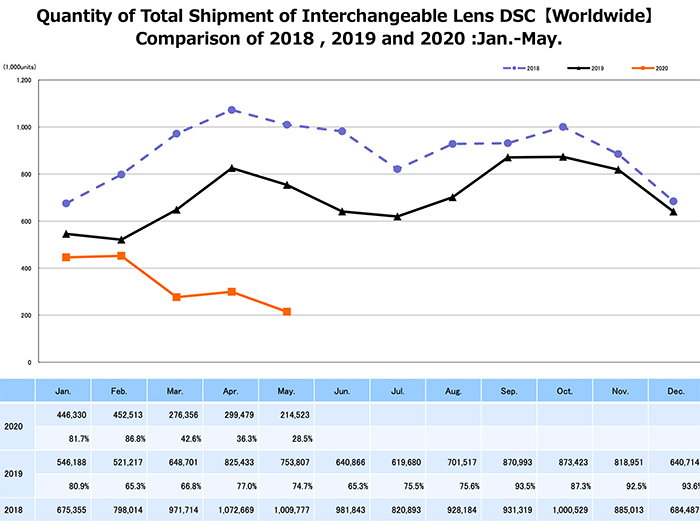
As you can see from this latest Cipa data the camera market sales crashed by 72% in May. Now what’s the bargaining power for Olympus when selling the business to JIP? I think they might have chosen the worse possible year to sell their imaging business…for three reasons:

  1. This year sales will be terrible but 2021 sales will obviously look much better
  2. The 10 year long Camera market shrinking was expected to reach the bottom this year anyway. From now on sales are expected to stay steady (Source: Canon estimates)
  3. Olympus just made the massive investment to move the factory from China to Thailand. And from 2021 they could expect to have steady sales for a lower production cost

I still have the crazy hope Olympus will at the end decide to NOT sell the business to JIP….

a bit of everything…


A Look At The Olympus 12-40mm f/2.8 Pro Zoom for Micro Four Thirds Cameras

What a GX10 should look like and will Panasonic do it? (Dpreview forum)
Dutch E-M1III test at Pixelmania
New from Manfrotto: 504x Fluid Head and Kits Replace the Venerable 504HD (Explora).
How to create cool looking vlogs and stunning videos // Part 3: All about Image Stabilisation (Olympus Europe).

Plenty of news on the facebook OMD group, Panasonic FF and the GH5 group.

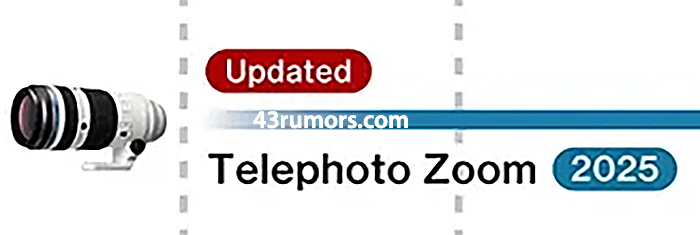
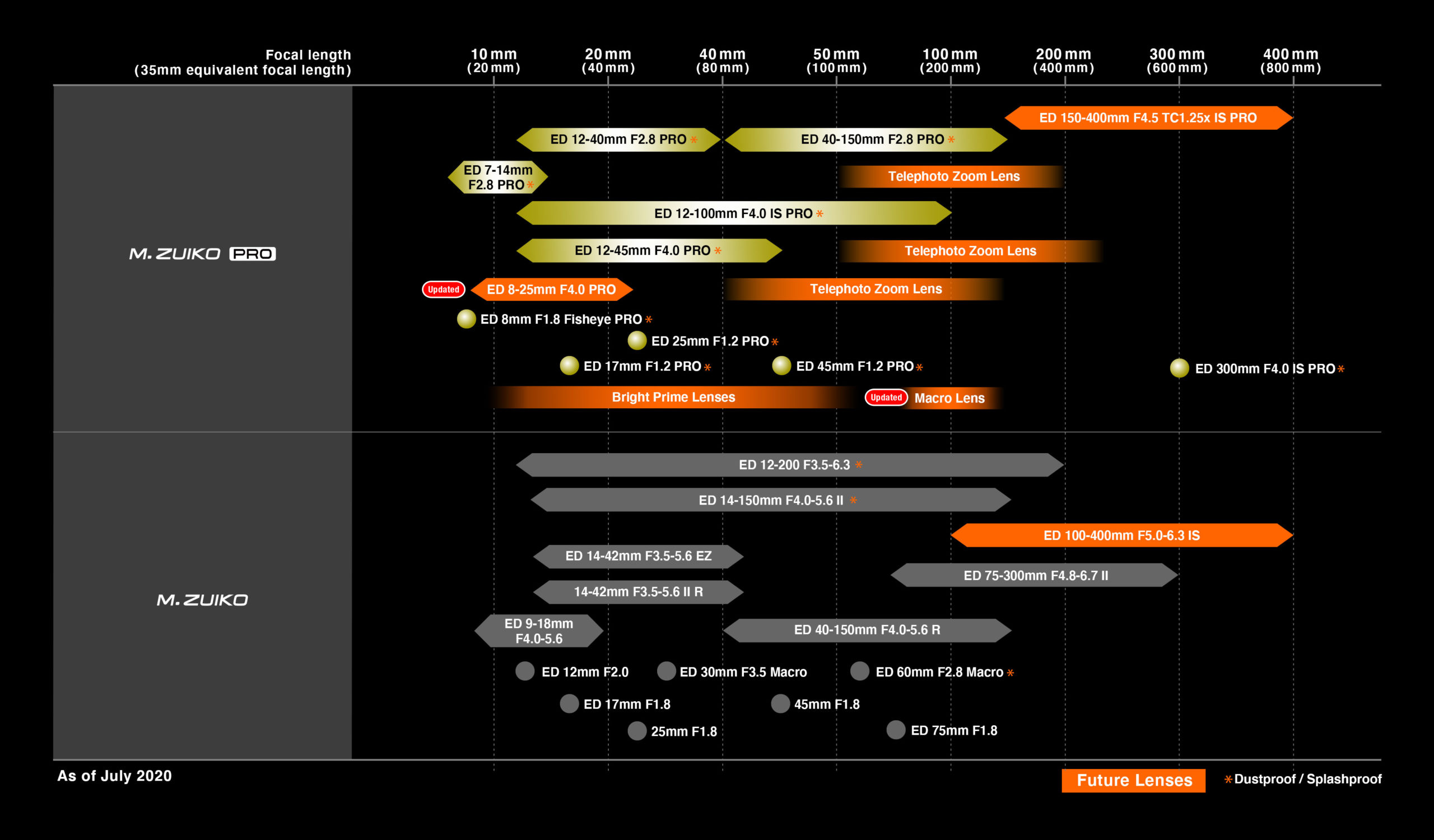
Olympus will ship the 150-400mm f/4.5 in winter. New 8-25mm f/4 Pro lens added to the roadmap


Click on image to enlarge

Olympus has postponed the shipment start for the 150-400mm f/4.5 in winter. And added the new 8-25mm f/4 Pro lens to their roadmap.

Press text:

OLYMPUS UNVEILS UPDATED M.ZUIKO® DIGITAL LENS ROADMAP

Provides Updates on the Development of the M.Zuiko Digital ED 150-400 F4.5 TC1.25x IS PRO Lens and Announces the Development of Firmware to Support Bird Subject Detection Autofocus for the OM-D® E-M1X

Center Valley, PA, July 2, 2020 – Olympus is pleased to announce an updated M.Zuiko Digital lens roadmap, outlining plans to expand the M.Zuiko lens lineup and including an update of anticipated availability of the previously announced M.Zuiko Digital ED 150-400mm F4.5 TC1.25x IS PRO super telephoto zoom lens with built-in 1.25x teleconverter.

The upcoming M.Zuiko Digital ED 150-400mm F4.5 TC1.25x IS PRO lens, for which development was announced in January 2019, continues with an estimated scheduled release of winter 2020. This is the first Olympus® interchangeable lens with a built-in 1.25x teleconverter, extending the maximum focal length to 1000mm1 (35mm equivalent). Final images of the lens are now available.

Two new lenses, the M.Zuiko Digital ED 8-25mm F4.0 PRO lens, as well as an unspecified macro lens, will join the M.Zuiko lineup as part of Olympus’ commitment to broaden the field of photographic expression. Olympus will continue enhancing its lens lineup to maximize the unrivaled system portability made possible by the compact, lightweight, high image quality of the Micro Four Thirds® System.

Furthermore, to make super telephoto shooting more convenient and to fulfill the growing needs of birding and wildlife photographers, development is underway to newly add Bird Detection capability to Olympus’ Intelligent Subject Detection Autofocus on the OM-D E-M1X camera. This new feature will be available for the E-M1X via a firmware update that is scheduled for release in Winter 2020.

1 When using the built-in teleconverter. Widest aperture setting is F5.6.

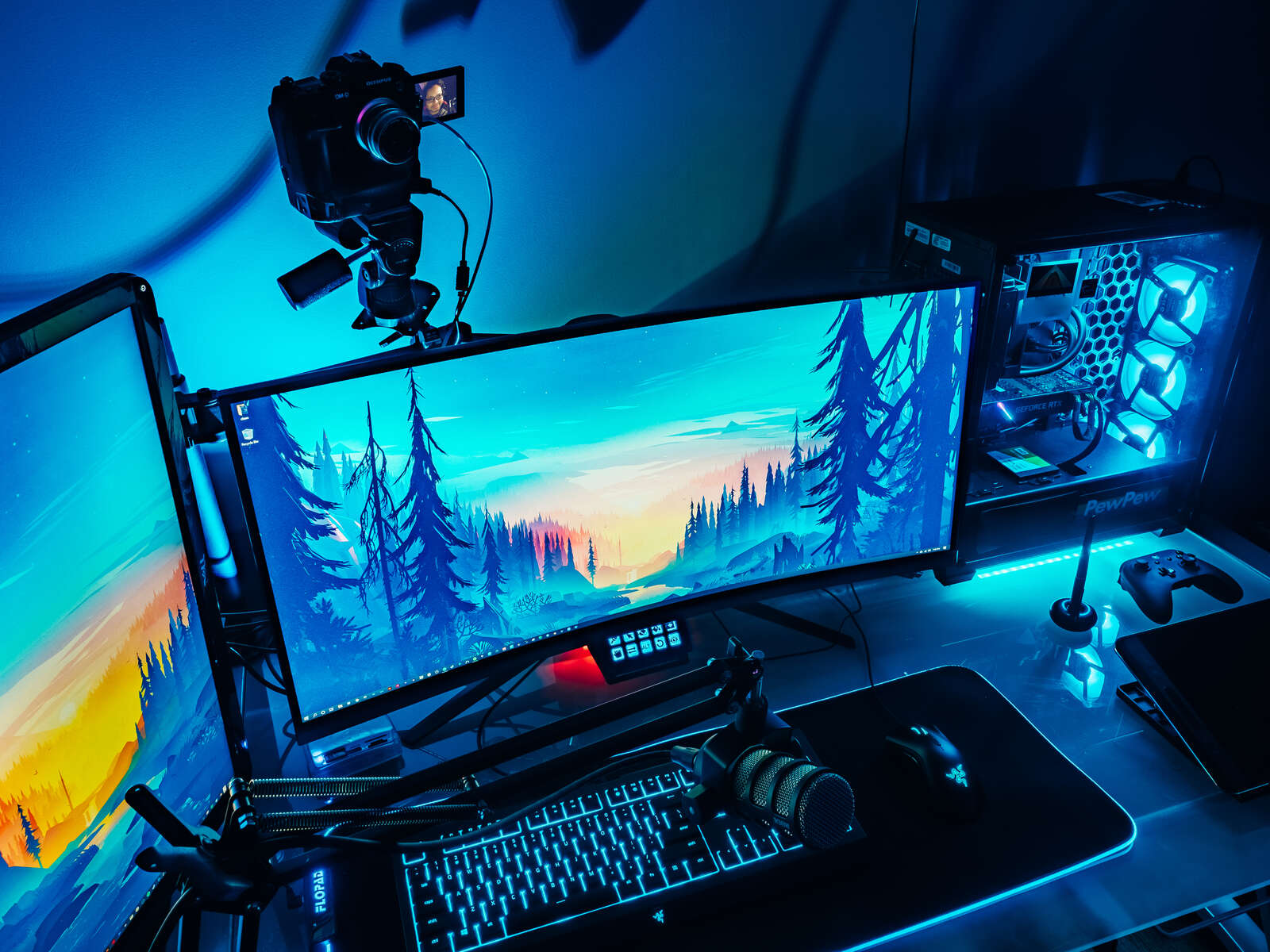
Olympus announced OM-D Webcam Beta for Windows

Press text via Olympus:

Whether you’re connecting with loved ones or collaborating with colleagues from home, video streaming is now more important than ever. We’re excited to introduce Olympus’ OM-D Webcam Beta software! This free beta software allows you to use select OM-D cameras in conjunction with video conferencing applications.

OM-D Webcam Beta is compatible with the following camera models:

  • E-M1X
  • E-M1, E-M1 Mark II, E-M1 Mark III
  • E-M5 Mark II

Follow These Step-by-Step Instructions to Get Started

Installation:

  1. Download OM-D Webcam Beta.
  2. Open the setup.exe file and follow the on-screen instructions.

Usage:

  1. Connect your OM-D and PC using the official USB-C tether cable provided with the original box.
  2. Turn on the camera.
  3. Select Tethered USB Mode on the monitor.
  4. Open your web conferencing application.
  5. Go to your video preferences in the application and select ‘OM-D Webcam Beta.’

Please note: at this time, OM-D Webcam Beta software is compatible with Windows PCs only.


OM-D Webcam Beta software does not output sound from the camera. However, all Olympus LS-P recorders – like the LS-P4 – can be used as USB microphones for video streaming.

How to Set Up USB Audio with Your LS-P Recorder:

  • Connect the camera to one USB port, and the LS to another USB port.
  • Slide the USB connector slide lever in the direction of the arrow.
  • Connect LS Recorder to the extension cable.
  • Plug the cable into your PC/MAC
  • Press the MENU/SCENE button while the voice recorder is in stop mode.
  • Press the + or – button to select the [Device Menu] tab.
  • Press the `OK button to move the cursor into the list of setting items.
  • Press the + or – button to select [USB Settings].
  • Press the `OK button.
  • Press the + or – button to select [USB Class].
  • Select [Composite].  This will set the recorder to USB Audio Class.  The recorder will then be recognized as a USB Microphone/Speaker on the computer