
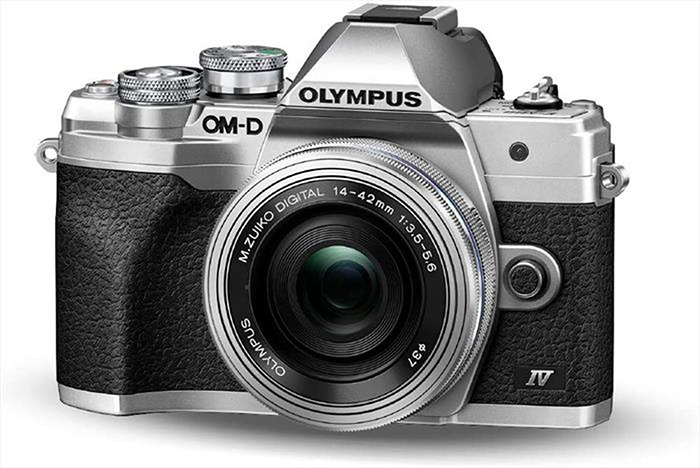
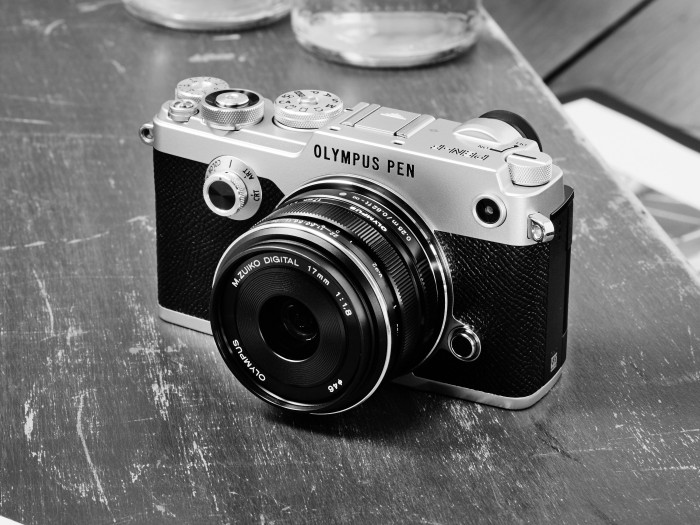
This shows which M43 models are selling the best in Japan…

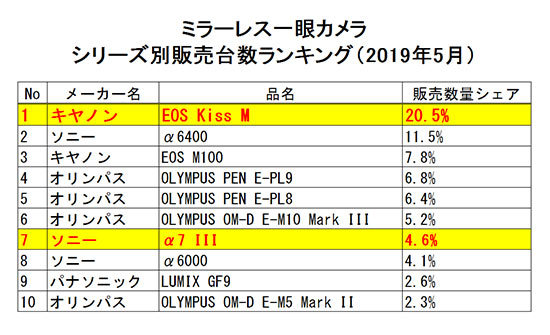
These are the most sold mirrorless camera on the Japanese market (May 2019). Five camera out of ten are Micro Four Thirds!
Source: BCNranking

These are the most sold mirrorless camera on the Japanese market (May 2019). Five camera out of ten are Micro Four Thirds!
Source: BCNranking

SILKYPIX announced the new Developer Studio Pro9 for Panasonic.
The SILKYPIX Developer Studio series is a general-purpose RAW Development software*1 for converting RAW images shot with digital cameras into JPEG and TIFF. RAW images capture a wealth of image data with every shot using the camera’s sensors. All this image information reduces the likelihood of image quality deterioration even after image processing adjustments are made, such as in brightness and color. This makes it more than suitable for editing high-quality photographs.
The SILKYPIX Developer Studio series offers features such as are smooth gradation, beautiful color reproduction, high resolution, high dynamic range, and low noise, and which are powered by proprietary video engines.
*1 As of June 18, 2019, the system is compatible with the RAW Development process for digital cameras of the 739 model.
In addition to the SILKYPIX Developer Studio series sold by Ichikawa Soft Laboratory, SILKYPX is provided free of charge as bundled RAW Development software to users who use Panasonic and FUJIFILM digital cameras*2 used by many photographers around the world.
Against this backdrop, many people who use bundled-version SILKYPIX have asked for the use of the highlight/shadow individual brightness correction, partial correction, and dehaze functions of the SILKYPIX Developer Studio Pro9. Therefore, as a special project to mark the 15th anniversary of the launch of the SILKYPIX Developer Studio, we developed RAW Development software limited to Panasonic and FUJIFILM cameras at reasonable prices for limited periods of time.
*2 RAW Development Software for Panasonic … “SILKYPIX Developer Studio SE”, RAW Development Software for FUJIFILM … “RAW FILE CONVERTER EX powered by SILKYPIX”
| Products name | SILKYPIX Developer Studio Pro9 for Panasonic downloaded version (Windows/macOS) |
|---|---|
| Sales period | June 18, 2019 12:00 – September 30, 2019 (JST) |
| Price | 3980 JPY (including tax) |
| Sale | ISL Online Store https://shop.isl.co.jp/?lang=en |
| URL | https://silkypix.isl.co.jp/en/ext/special/dsp9pana/ |
| Other |
|
| Products name | SILKYPIX Developer Studio Pro9 for FUJIFILM downloaded version (Windows/macOS) |
|---|---|
| Sales period | Planned launch in late July 2019 to September 30, 2019 (JST) |
| Price | 3980 JPY (including tax) |
| Sale | ISL Online Store https://shop.isl.co.jp/?lang=en |
| URL | https://silkypix.isl.co.jp/en/ext/special/dsp9fuji/ |
| Other |
|
Adjusting the hazy image with the “Dehaze” slider removes cloud-like distortions in your image caused by water vapor in the air and leaves the image with just as much clarity as if it were taken on a bright sunny day.
The Highlight/Shadow sliders in the exposure adjustments allows you to manually adjust the brightness of the bright (highlight) and intensity of dark (shadow) portions of the image. Even when shooting subjects with intense contrast while using exposure compensation, it is sometimes still difficult to control the exposure. Here, simply adjust the “highlight/shadow” individually during RAW development to achieve a result suitable for the image of the Photographer.
Partial tone correction can be applied to specified area of the image. For example, brightness and White balance can be partially adjusted. The selection methods of the correction area include “circular correction filter”, “gradual correction filter”, “brush”, etc., and can be corrected by carefully specifying the area.
You can blur or sharpen the periphery of the specified range. Blurred periphery produces a close-up effect by blurring the periphery of your subject. In addition, if the image is shot with the aperture opening value of the lens and the resolution of the peripheral area drops, the “Sharp periphery” can be used to make a good correction.
The Auto adjustment buttons for Auto exposure bias, Auto White Balance Setting, and Automatic Level Correction, which are suitable for the respective images, have been recently added. The Auto adjustment button is recommended for those who are “having a first try at RAW Development” or say “RAW Development has so many adjustment options and don’t know what to do.” In addition, when making adjustments to a large number of images at a time, you can improve the efficiency of editing workflow by using the Auto adjustment button.
Search in thumbnails is a function for searching and displaying images by specifying a condition such as “shooting info” such as File name or Date, comments, or ratings from specified folders. You can also specify multiple folders at the same time, which is a very useful feature for locating the desired image within a larger collection.
These include the independent placement of initialization buttons for instantaneously returning images to their pre-adjusted states, the addition of user-mark colors for image selection, and the easy transfer of images from the SILKYPIX to retouching software.
| Windows | macOS |
|---|---|
| 64-bit version of Microsoft® Windows® 10 / 8.1 / 7 (Service Pack 1 and later) * The tablet mode is not supported for Microsoft® Windows® 10 tablet mode. * It does not support the 32-bit OS. |
macOS® v10.9 – v10.14 |
| Intel® Core™ 2 Duo or more, or AMD Athlon™ 64 X2 or more processor | Intel® Core™ 2 Duo or more processors (required for 64 bits) |
| RAM of 4 GB or more (recommended for 8 GB or more) | RAM of 4 GB or more (recommended for 8 GB or more) |
| Hard disk with a free space of 10 GB or more | Hard disk with a free space of 10 GB or more |
| 1,024×768 Displays that support the above screen resolutions | 1,024×768 Displays that support the above screen resolutions |
* You can register SILKYPIX Developer Studio Pro9 to three different PCs/Macs.
Olympus OM-D – 5 Tips on FEATURES!
SeaFrogs Panasonic Lumix GH5 & GH5S 40m/130ft Underwater Camera Housing with Standard port
Olympus auf dem »horizonte zingst« 2019
RawTherapee 5.6 has been released
How To Protect Your Photos Online (Explora).
Sirui VHD-2004 VH10 Video Tripod (Personal View).
Share your best pictures on our new Instagram MicroFourThirdsGallery.
Plenty of news on the facebook E-M1II group, Panasonic FF and the GH5 group.

The new DUO photographers bag just raised over $250,000 in one day on Kickstarter (Click here to see the project). It has a lifetime warranty and an innovative system for quick access:
With our radical, new InfiniteZip™ system, you get the opening of your choice – which means no more digging for what you need, no matter where it’s located.
See how it works on their Kickstarter page!
More Kickstarter projects:
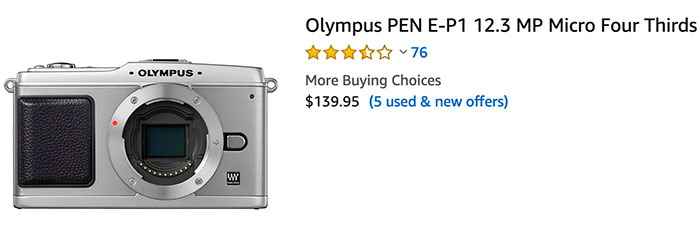
Peter Forsgård unboxed the camera that made history: The first Olympus mirrorless!
And you might didn’t know it but you still can buy it completely new at Amazon US!
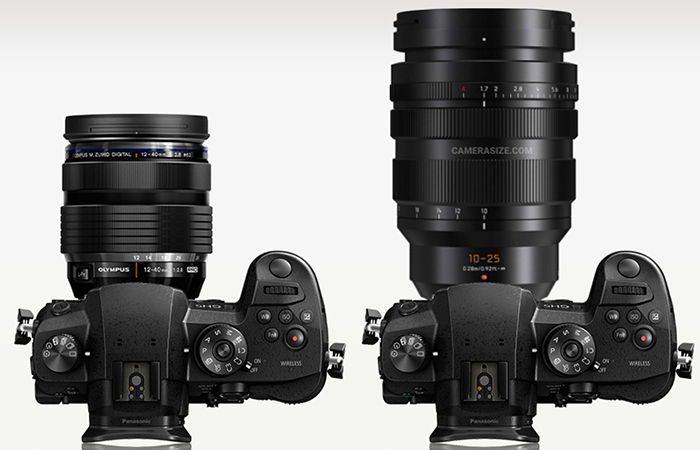
The new Panasonic 10-25mm f/1.7 lens has been added at the CameraSize database. On top you can see the size comparison with the Olympus 12-40mm f/2.8 lens. Yes it’s a big lens but not too big. My only very personal complain is that I would have preferred to have a bit more tele. Next time Pana do me a favour and make a 12-35mm f/1.7 :)
Preorders: 10-25mm lens on BHphoto, Adorama, Amazon and FocusCamera.
Panasonic GX9 Long Term Review + Panasonic G95 / G90 Thoughts
Panasonic Lumix S1R – 5 Pro & 5 Cons – Massive 187MP files but… (L-rumors).
My Video Went Viral. Here’s Why (Veritasium).
A Tour of SIGMA’s Aizuwakamatsu Factory (Lensvid)
Do It Yourself: Six At-Home Photo Printing Tips (Explora).
Share your best pictures on our new Instagram MicroFourThirdsGallery.
Plenty of news on the facebook E-M1II group, Panasonic FF and the GH5 group.