Get two months of Adobe Creative Cloud for free

Share

With the following trick you should be able to get extra two months of Adobe Creative Cloud for free! Note: Tested and works in US and UK. Not sure if it works in other countries too:

  1. Log into your Adobe account
  2. Click on ‘Manage plan’
  3. Click on ‘Cancel plan’ (next to ‘Change plan’)
  4. You’ll now be in a ‘Cancel plan’ menu. Choose a reason for leaving.
  5. Click ‘continue’ on the ‘Details’ step.
  6. You’ll now arrive at the ‘offers’ section, where you can choose to accept the ‘two months free’ offer.

Techradar writes:

There are a few caveats. We’ve only tried this process in the UK, although there are plenty of Creative Cloud subscribers from the US on Twitter who appear to have had similar success. That said, we can’t guarantee it’ll work for all regions.

Also, the nature of the offer means it’s mainly designed for those who are set up to pay monthly – although, again, there is anecdotal evidence on Twitter that suggests it will also work with those who have chosen to pay annually, with some users saying that a credit was applied to their account.

Share

TopazLabs announced the new Sharpen AI plugin with 25% discount

Share

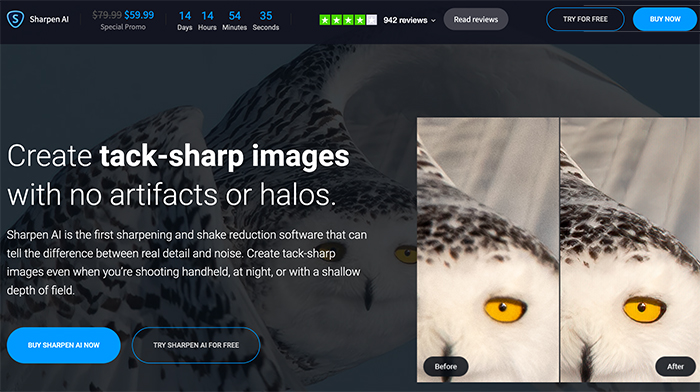
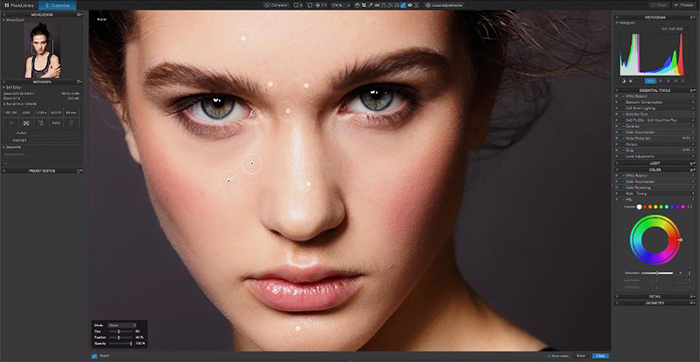
Topaz has just released a major update to their Sharpen AI software. This update will include highly-requested batch processing capabilities. Sharpen AI will also include the ability to selectively apply or remove the sharpening treatment to certain areas in your image.

To promote the latest update, Topaz is launching a special sale. Sharpen AI will be on sale for $59.99 (save 25%) from today until April 3.

On this website you can use their interactive tools to see how the plugin performs. Below there is a video showing the new features:

Share

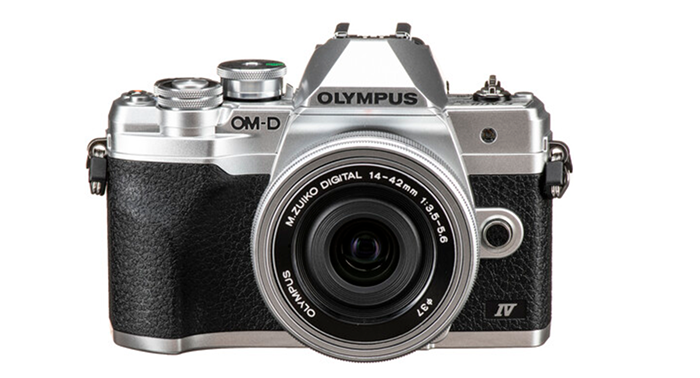
Interview with Masami Takase, R&D Imaging Products Director at Olympus

Share

Olympus published this interview:

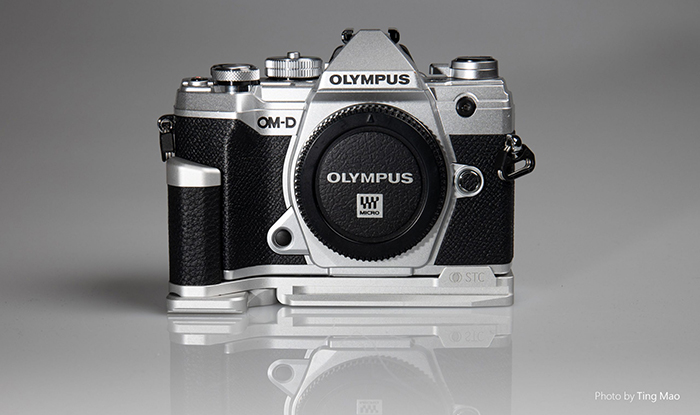
Today we wish to share with you the first of a two-part interview with Masami Takase, R&D Imaging Products, Director at Olympus. This interview was conducted at the OM-D E-M1X touch and try event in Tokyo.

We developed the mechanism of the E-M1X by focusing on reliability. And one of the most important elements of reliability is to avoid giving customers things to worry about.

Take heat radiation, for example. A system that gets hot when it’s in use is out of question. So, of course, the E-M1X can be safely used without worrying about overheating. To make this possible, we developed and incorporated new mechanisms inside the camera body.

One of the most salient features of the E-M1X is its use of two image processing engines. This is the secret to the camera’s high-speed, high-quality performance. But it also means that it produces a lot more heat than previous camera bodies. The amount of heat generated when the engines are run at full power in 4K movie shooting or in the Pro Capture mode is considerable.

Though the body is larger than the previous OM-D, this is not of much help. Because the heat tends to build up in one location, it needs to be dissipated to cooler locations. The first idea that springs to mind is to transfer the heat using a metallic plate instead of a plastic plate. Unfortunately, even though the thermal conductivity of the metallic plate is higher than the plastic plate, it is still not enough to cool the camera.

So we decided to use a heat pipe. This consists of a vacuum pipe containing a volatile liquid. When heated, the liquid is gasified and the vapor is transferred instantaneously to the other end.

In addition to improving heat dissipation, another factor that contributes to the camera’s reliability is its toughness. This means that no matter the stress or abuse the equipment is subjected to, it should keep on working as if nothing happened. In the past, part of our testing involved dropping products from a certain height onto a hard tile floor. The E-M1X was put through even more rigorous testing- in one test we evaluated how a body hits the ground while attached to a monopod that has tipped over. These impacts are especially hard on a camera because the angle which a monopod tips causes the body to hit the ground at a different angle compared to a normal vertical drop. Nevertheless, the body continued to function normally after this test.*1

The dustproof and splashproof performance of our products have already been highly rated by our customers, and the E-M1X has also passed the most stringent tests. Although the IPX1 international standard it clears was originally intended for permanently installed products, we tested the equipment against a standard one rank higher in all aspects and succeeded in clearing it. In the development phase, we also conducted splashproof testing under conditions much more extreme than IPX1 – almost close to testing in a shower.*2
We are committed to raising the safety level of our products – even if it’s just by one step. That is our policy.

*1: The result of dropping on the ground during actual use is not guaranteed.
*2: The guarantee level is set equal to IPX1.

Don’t forget that the E-M1X just got a new price drop and now sells for the lowest price ever  at Amazon, GetOlympus, Adorama and BHphoto.

Share

Free Luminar 4.2 update adds new “AI Augmented Sky” feature

Share

Skylum launched the new free Luminar 4.2 update ($10 discount with our code “43RUM”). There are three BIG improvements you can “live test” on their interactive press release page. Here they are:

1) New AI Augmented Sky

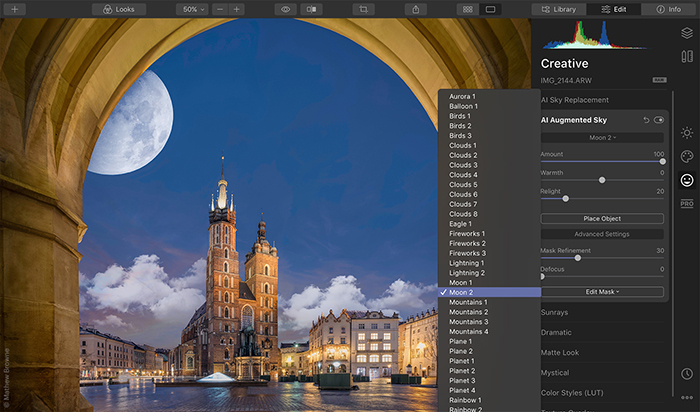
Inside the Creative tab of Luminar 4.2, you’ll find a new tool called AI Augmented Sky. This tool lets artists choose objects from the curated Luminar collection or upload their own, and blend them seamlessly with the photograph’s sky.

Here’s how it works. AI Augmented Sky detects your photo’s sky automatically and then places the chosen element directly into the sky area. Using content-aware technologies, foreground objects are recognized and taken into account, making the object blend naturally with your existing scene. You can drag the new element around the sky for ultimate control, yet retain those realistic qualities.

2) New Portrait tools:

When Luminar 4 launched, we announced some new, groundbreaking tools to help you optimize your portraits. And so far, photographers have loved the enhanced controls and adjustments they can make to their portraits!

With today’s update, we’re introducing a new Face Features Detection Network, which enables us to give you even more accurate and realistic automation when it comes to enhancing portraits. This technology is trained to detect different faces no matter what position, angle or tilt they might be in. It even recognizes those badly lit or partially hidden faces, as well as those with heavy makeup. No matter what the skin color or age of the person, Luminar 4.2 will recognize faces — even if it’s a group photograph. Check out the example below to see the power of the new Face Features Detection Network:

In the AI Skin Enhancement tool, you’ll find a new Shine Removal Technology. It lets you reduce shine on a person’s forehead or cheeks, making for a more evenly-lit portrait. In the example below, you’ll see that this technology restores the skin on the patches of the face where it was hit by excessive light, and automatically generates realistic-looking skin that blends in perfectly.

AI Portrait Enhancer has also received improved slimming capabilities through its Slim Face 2.0 Technology. Prior to today’s update, Slim Face only worked with the lower portion of a person’s face, sometimes making for unrealistic results. As you can see below, with Slim Face 2.0, the tool now recognizes the entire face and makes changes proportionally.


3) Improved Relight Scene in AI Sky Replacement

In addition to AI Augmented Sky and the enhancements to our portrait tools, you’ll also see a few other updates in Luminar 4.2.

We’re constantly improving one of our Luminar artists’ most-loved features — AI Sky Replacement. Relight Scene technology improvement lets you retain colors as you originally captured them in-camera. In previous versions, you might have seen a yellow and unrealistic glow on white objects. Improvement of the Relight Scene technology lets you avoid this problem.

You save $10 on the new Luminar 4.2 using our coupon code “43RUM” at checkout!

Share