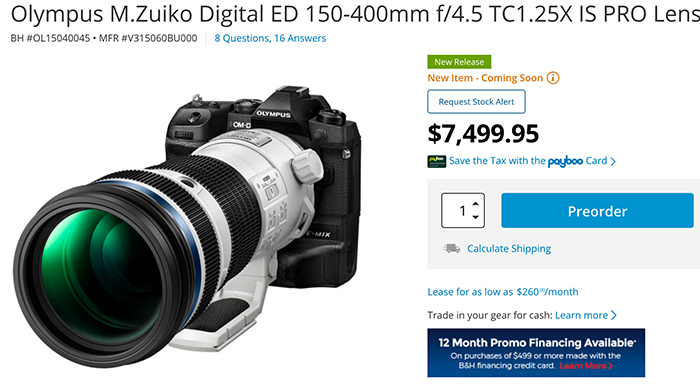
The M.Zuiko 150-400mm F4.5 IS PRO is a true landmark in lens design, with a remarkable combination of zoom reach, optical quality, image stabilization performance, weather resistance and compact, lightweight portability. It’s a powerful example of the benefits that Micro Four Thirds systems from the newly-named OM Digital Solutions Corporation bring. Every system has its particular advantages, and there are certainly areas where full-frame cameras will carry the day. If you’re a wildlife or sports shooter, though, it’s hard to argue with the sheer optical quality and zoom reach that the OM Digital 150-400mm PRO provides, in an extraordinarily compact, lightweight and highly weather-resistant package. As I said at the outset, it actually looks like a bargain, even at its lofty $7,500 selling price.
Panasonic officially announced it will release a major firmware update for the BGH1 MFT camcorder. There will be also a LUMIX Tether for Multicam Ver.1.1 to be released on March 24.
LUMIX BGH1 Firmware Version 2.0 to be released on March 24, 2021
The BGH1 is the LUMIX’s first box-style camera exclusively designed and developed for professional use. To support a growing need of live streaming, the BGH1 will provide an IP streaming function that enables distant, high-quality image transmission to the social streaming platform online with PC connection over wired LAN. Notably, the LUMIX BGH1 is a unique camera that can stream 4K 60p (50p) video in H.265. The H.265 realizes half the bitrate while keeping the image quality the same as H.264, which means it can provide 2x higher image quality at the same bitrate as H.264. Streaming in ultra-high definition 4K at low bitrate is possible even in the cases where the bandwidth is not broad enough.
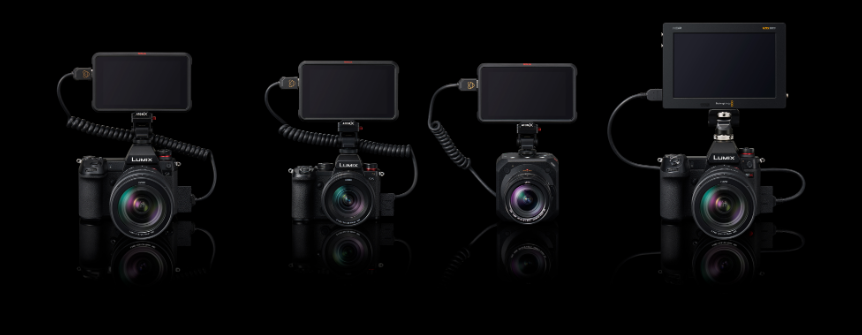
The Apple ProRes RAW can be recorded on Atomos NINJA V.
Area
Resolution
Frame Rate
Aspect
HDMI Output
Micro Four Thirds
4K (4096×2160)
23.98p/25.00p/29.97p/50p/59.94p
17:9
12-bit
Micro Four Thirds Anamorphic
3.7K (3680X2760)
23.98p/25.00p/29.97p/50p/59.94p
4:3
12-bit
V-Log or Rec.709 is selectable on Live View monitor during RAW output.
Shooting assist functions including Luminance Spot Meter, Zebra Pattern can be used during RAW output.
A lookup table (LUT) exclusively designed for RAW video recorded on NINJA V is available on the following customer support website to make the same color grading as V-Log/V-Gamut. It is easy to match colors between the footages recorded with Panasonic Varicam, EVA1 and GH5 series cameras to combine them. https://panasonic.jp/support/global/cs/dsc/download/lut/s1h_raw_lut/index.html
* Software that supports Apple ProRes RAW is required to edit RAW video recorded with NINJA V.
** All functions may not be available depending on the situation.
Genlocking status display
Synchronization status can be shown on the external monitor connected with HDMI or SDI when the camera is under Genlock synchronization.
SD Memory Card formatting via PC connection
It is possible to format the SD Memory Card from the camera menu on the live view display of LUMIX Tether while the camera is connected with the PC.
Users can choose to add or not to add camera orientation information in [Vertical Position Info (Video)] menu to prevent unintended image rotation in playback.
LUMIX Tether for Multicam Ver.1.1 to be released on March 24, 2021
Settings and controls over the BGH1 during IP streaming are available.
Rec.Quality options corresponding to RAW video data output will be displayed when [Menu]>[Video]>[Image Format]>[HDMI RAW Data Output] is turned ON.
It is possible to start/stop recording on the external device with the BGH1 during HDMI/SDI output.
When [HDMI Recording Control] and/or [SDI Recording Control] is/are ON, Rec button is available even if the SD Card is not inserted. The connection method, either HDMI or SDI, is also displayed.
* For settings and controls over the BGH1 via PC during IP streaming, LUMIX Tether for Multicam PC software should also be updated to Ver.1.1 or higher.
•Apple and ProRes are trademarks or registered trademarks of Apple Inc. in the United States and/or other countries.
•‘Blackmagic Design’, ‘Blackmagic RAW’ and ‘DaVinci Resolve’ are registered trademarks of Blackmagic Design Pty. Ltd.
•Ninja V / ATOMOS are registered trademarks of ATOMOS Limited. •Design and specifications are subject to change without notice.
Skylum created the world’s first automatic sky replacement technology. Now, building on this legacy, we’ve listened to feedback from creators in the Luminar community and delivered a faster, more robust experience in the next generation of our SkyAI tool. Under the hood, our enhanced AI engine ingeniously creates new possibilities.
Sky reflections in water: This much-anticipated update means there’s no more worrying about sky replacement in photos featuring water! Ocean, river, lake, pool, it does not matter, LuminarAI will automatically reflect the new sky in the body of water in the most realistic way. The new sky automatically conforms to the angle and depth of the scene to produce incredible results down to the smallest details.
Scene relighting: SkyAI now provides realistic scene relighting by eliminating strong color casts from the sky on foreground objects. Improvements to these tools provide discrete control over the amount and saturation of relighting enhancements. The new Relight Human control can dramatically improve environmental portraits by matching people to the new sky for a more realistic effect.
Seamless sky orientation: One of the toughest challenges in traditional editors is cleanly aligning a new sky to the original horizon. New controls for Rotation and Horizontal Offset join existing controls that allow new skies to be flipped, rotated and positioned for a perfect fit.
Easier sky selection: Quickly browse and select new skies with a new visual interface from the SkyAI panel. We’ve added six new free skies with this release and made it easier to add your own skies or add new sky packs.
Transformable Texture Overlays
With Update 2, Local Masking adds amazing new creative abilities. The Texture tool now offers advanced controls to transform texture and image overlays.
PNG Overlays: PNG files with transparency can now be uploaded as textures in LuminarAI. These files can then be used to add special effects to photos, including watermarks, text, emoticons, and other decorative elements.
Easy placement: New overlay elements can be easily moved, flipped, rotated, resized and placed anywhere you want. There’s even blending modes and masks to precisely control how the object interacts with the original image.
Overlays in Templates: Once applied, an overlay can be synced across multiple images or saved in a custom template for future re-use.
Improved Templates experience
Templates are an essential part of the innovative LuminarAI workflow. As a result, Skylum is constantly working to improve the Templates experience. In Update 2, finding the perfect Template for your photo is even and faster.
Easy Access: To make them easier to find and use, all Templates, including Favorites, My Templates Purchased, and Legacy Templates, are now available within the main Templates tab, just beneath For This Photo.
Easier Browsing: Template Group previews are now uniform in size to make them more visually accessible and comfortable to work with.
Marketplace Integration: Templates purchased in the Luminar Marketplace are now automatically added to For This Photo and may be presented by LuminarAI when suggesting enhancements for your photos.
Improved camera support
Update 2 brings support for new cameras and file formats to LuminarAI.
New Cameras: Canon EOS R5, Canon EOS R6, EOS 850D, EOS-1D X Mark III (lossy compressed files), Fujifilm X-S10, Leica M10-R, S3, SL2-S, Nikon Z 5, Z 6 II, Z 7 II, Olympus E-M10 Mark IV, Panasonic DC-G100 / G110, DC-S5, Sony ILCE-7C (A7C), ILCE-7SM3 (A7S III) and Zeiss ZX1.
New File Formats: Lossy compressed CR3 files and Lossy compressed RAF files.
What do you think of this idea for Micro 4/3 dual lens mounts? (Dpreview Forum).
Vacuum tube watches (Jim Chung).
Frequency Separation for Landscapes (Explora).
E-M5III test at Mapcamera.
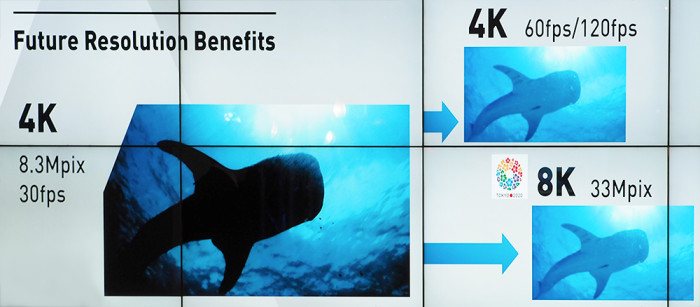
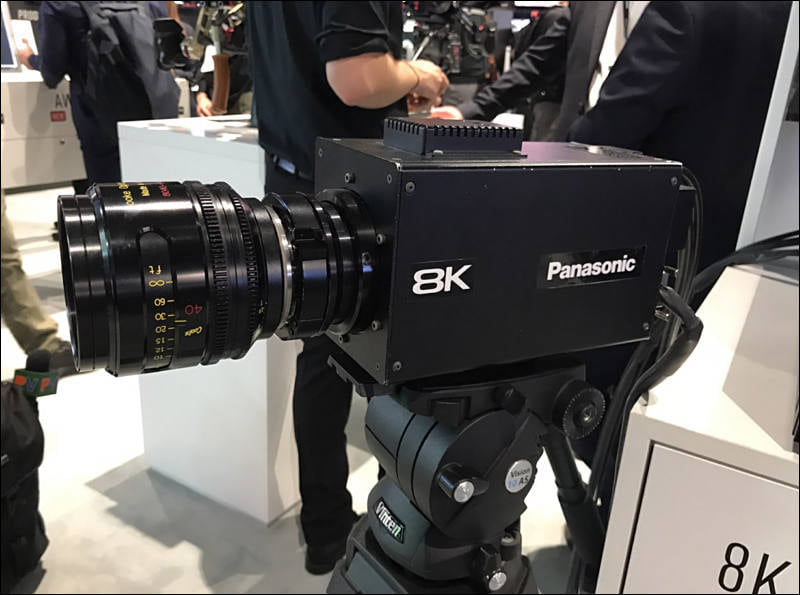
Back in September 2019 Panasonic has promised to launch their first camera with the organic 8K sensor by 2020. Personal View wrote:
Interview with Takashi Ishii from Panasonic, who is closely related to new revolutionary sensor development. Panasonic aim this to be first commercially available camera with organic sensor that will be made available around Tokyo 2020 games start time. Not only camera won’t need ND filters, but will also implement some of new processing techniques and may be also will use new SDI coaxial connectors in the final version. Camera presented at IBC used 4x 12G SDI connectors and special recorder with 4 separate drives. It is interesting of presently it process and store each of 4K separately, as in such case it will require cheap and afforable part already present in 4K Panasonic cameras and recorders.
Ok, Tokyo Olympics got postponed, still I wonder if this new tech is still being developed or just “delayed”.