UPDATE: GH6 price is $2,899 Canadian Dollars???

Share

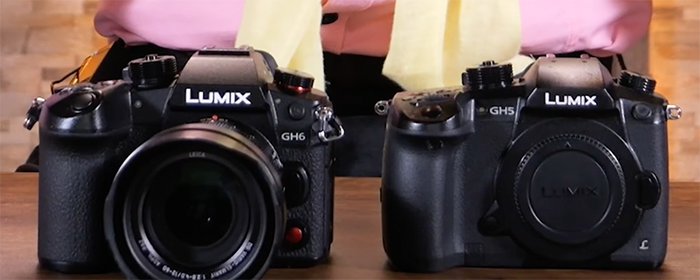
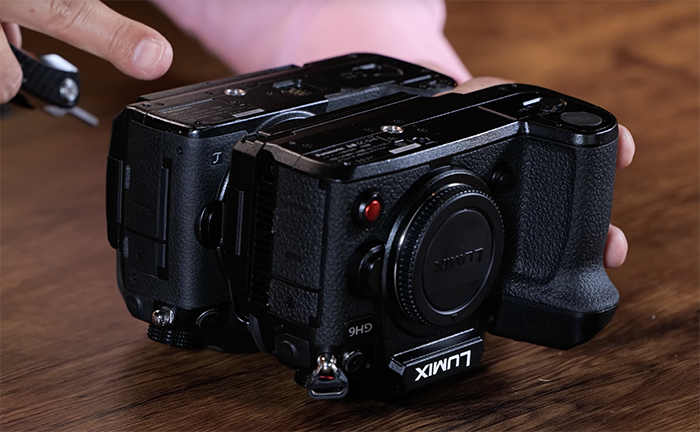
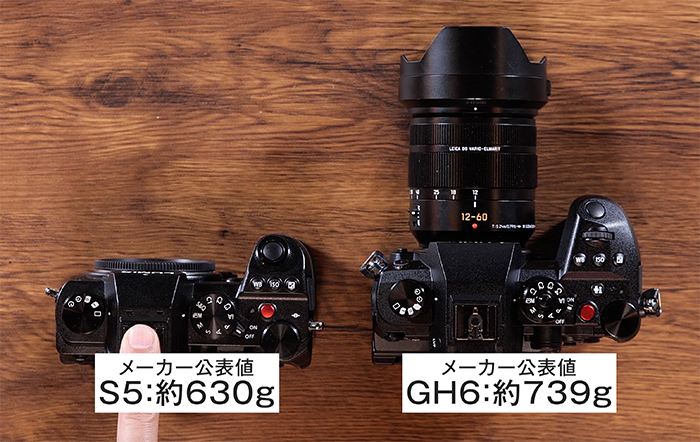
A store shortly listed the GH6 with a price tag of $2,899 (UPDATE: I have been told this is Canadian Dollar and not US dollar!). I am not sure if this is a place holder price or the real final price. The store also posted this press text:

The Panasonic LUMIX GH6 is designed to meet and exceed the needs of content creators. The effective pixel count has been increased by more than 20%, the new 25.2-megapixel Live MOS Sensor boasts high-resolution, high-speed signal readout and wide dynamic range. The new Venus Engine has also been upgraded with advanced image processing technologies to render high resolution images with low noise quality and rich color reproduction, which is a hallmark of LUMIX cameras.

The LUMIX GH6 contains V-Log/V-Gamut for the first time in LUMIX G Micro Four Thirds cameras and provides 12+ stops, and even 13+ stops, of wide dynamic range using Dynamic Range Boost mode. 43

The new LUMIX GH6 has again evolved to produce 4:2:2 10-bit C4K 60p unlimited video recording time, 4:2:0 10-bit 4K120p, 4:2:2 10bit FHD 240p HFR (High Frame Rate) and FHD maximum 300fps VFR (Variable Frame Rate) to reproduce dynamic motion of the subject. In addition to 4:2:0 10-bit 5.7K 60p, 4:2:0 10-bit 5.8K 30p anamorphic 4:3 video can be recorded utilizing the full area of the sensor. It’s now possible to display de-squeezed anamorphic footage on the monitor in real-time. 5.7K 30p video recording is available in Apple ProRes 422 HQ for the first time in LUMIX cameras, which enables non-linear editing without transcoding. Extended recording time is made possible with LUMIX’s heat management technology.

Boasting 7.5 stops of powerful image stabilization with its Dual I.S.2 43rumors for agile handheld shooting, the LUMIX GH6 has adopted a new super high-precision 5-axis gyro sensor with a new algorithm to achieve 7.5 stops of Body I.S. and Dual I.S.2*5. It also offers a wide variety of recording formats, resolutions and framerates to choose from – depending on the purpose.

Features:

  • 25.2-megapixel Live MOS Sensor without LPF (Low-pass Filter)
  • 5.7K 60p Video, 10-Bit Sampling
  • UHD 4K 120p with 10-Bit HFR
  • Venus Engine high-speed processor
  • V-Log/V-Gamut
  • Photo Sensitivity: ISO 50(extended)-25600
  • Video Sensitivity: ISO 50(extended)-12800
  • Memory Type: CFexpress Type B card
  • 3.0-inch free-angle touch-control monitor

Share

Ending tomorrow: 30% on Topaz Gigapixel. 25% off on Albert Dros class

Share

Both deals end tonight:

Share

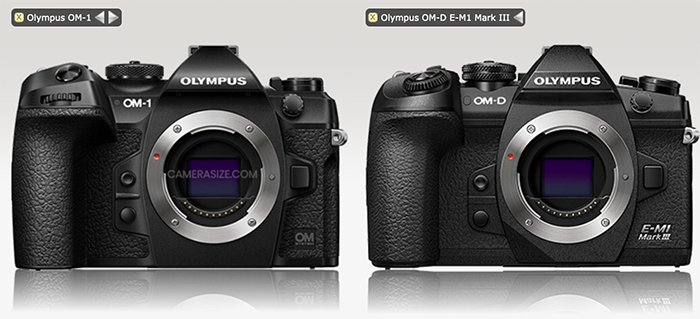
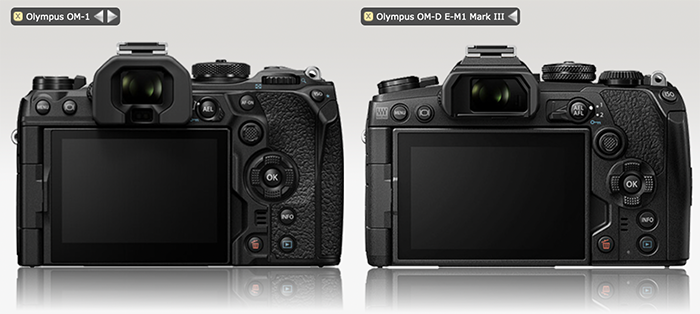
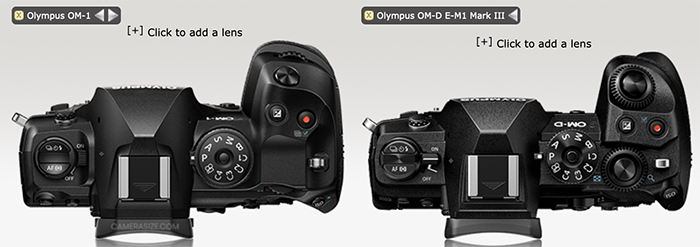
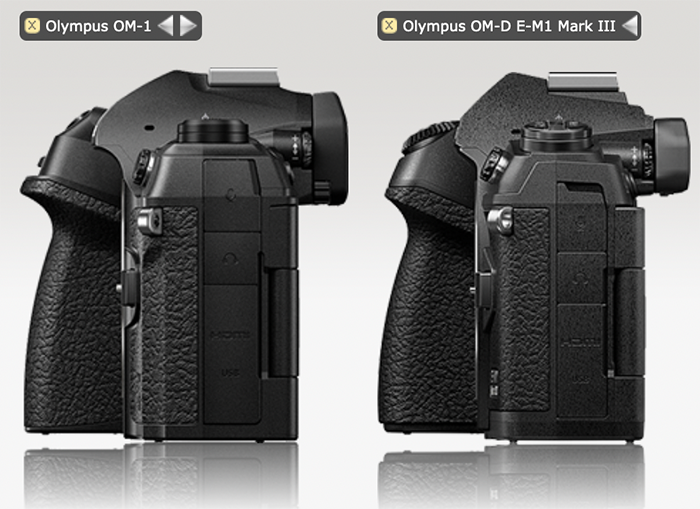
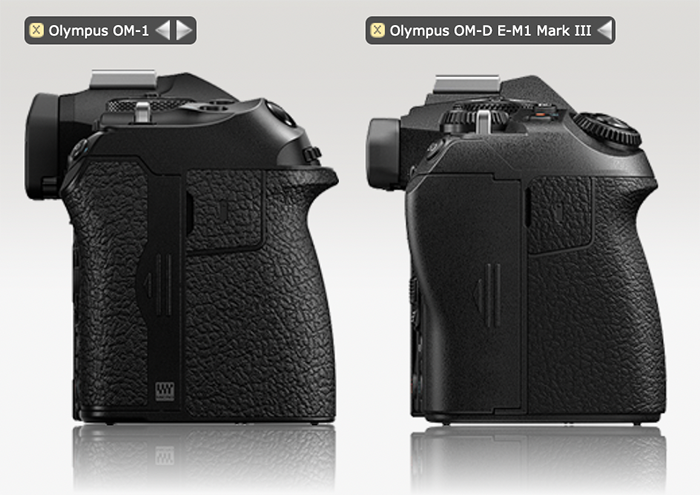
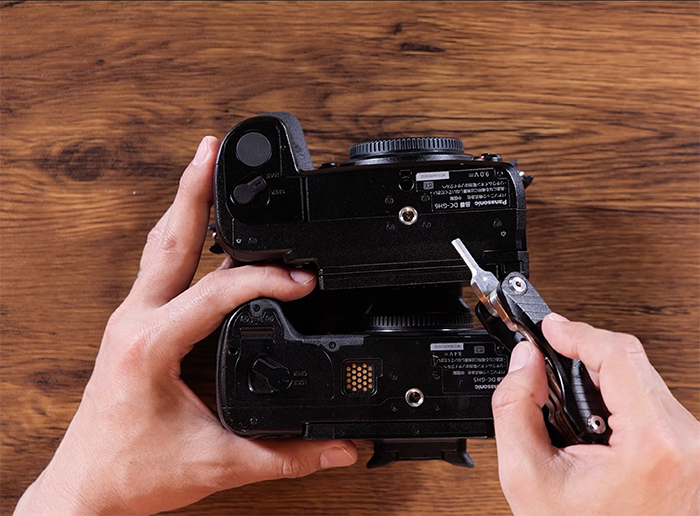
OM-1 vs E-M1III size comparison

Share

Preorders:
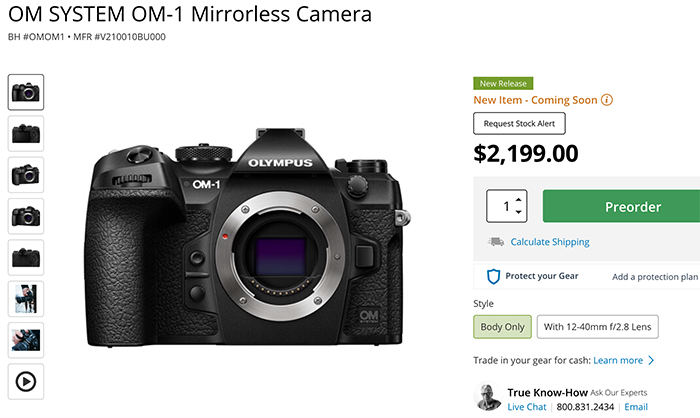
OM-1 at BHphoto, Adorama, Amazon. GetOlympus.
OM-1 in EU at Calumet DE. Fotokoch DE. FotoErhardt DE. Wex UK. Olympus DE, Olympus UK, Olympus FR, Olympus IT, Olympus ES. Olympus NL. Olympus BE. Olympus AT. Olympus CH.
40-150mm f/4.0 at BHphoto, Adorama, Amazon. GetOlympus. Calumet DE. Wex UK.
12-40mm II at BHphoto, Adorama, Amazon. GetOlympus. Calumet DE. Wex UK.

And here it is the accurate OM-1 vs E-M1II size comparison.  The accurate spec comparison can be found on that BHphoto table.

via CameraSize

Share

New OM-1: Shutter noise, 120fps and unboxing videos

Share

Preorders:
OM-1 at BHphoto, Adorama, Amazon. GetOlympus.
OM-1 in EU at Calumet DE. Fotokoch DE. Wex UK. Olympus DE, Olympus UK, Olympus FR, Olympus IT, Olympus ES. Olympus NL. Olympus BE. Olympus AT. Olympus CH.
40-150mm f/4.0 at BHphoto, Adorama, Amazon. GetOlympus. Calumet DE. Wex UK.
12-40mm II at BHphoto, Adorama, Amazon. GetOlympus. Calumet DE. Wex UK.

The official splash test:

120fps:

4K60p test video:

Walkthrough menu:

Unboxing:

Share

Luminar Neo Launched with Lots of New AI Features

Share

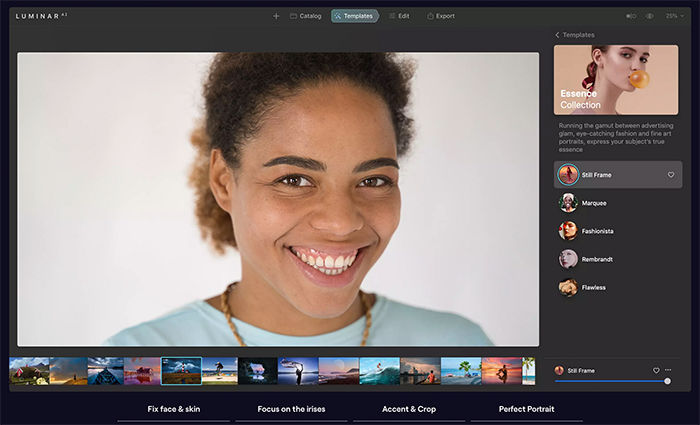
Luminar Neo has now been officially released!. And til March 3 you get a special discount (Click here). Here are some of the new features:

Add and export images

There are just two tabs in the center of the top bar in Luminar Neo: Catalog and Edit. In the Catalog tab, you can add, view, and organize your images into albums and folders. You’ll also be able to favorite the images you like best.

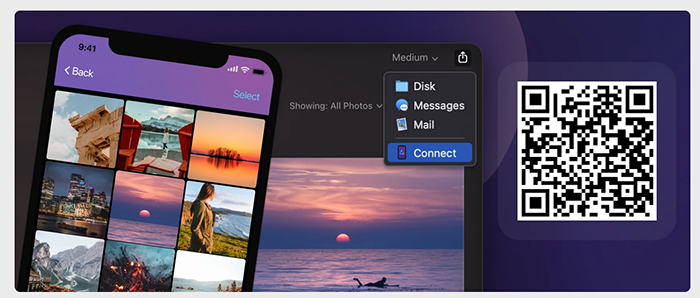
You can quickly upload photos you took with your smartphone to your computer through the Luminar Share app. Download the Luminar Share mobile app by scanning the QR code below, then follow the instructions in the app to connect it to your Luminar Neo desktop app. Luminar Share also allows you to quickly export images to your smartphone and share them on your favorite social media channels.

Enjoy the easy workflow

After you’ve added your photos, it’s time to edit them. All the editing tools are stored in the Edit tab. Scroll through the tools you want to apply. You’ll find them grouped into four handy categories: Essentials, Creative, Portrait, and Professional. Find the tool you want to use and click on its name to apply it.

Achieve your goals with AI-based features

Luminar Neo’s AI-based tools let you achieve more with less effort. Make sure to use them in your edits to achieve pleasing and fast results.

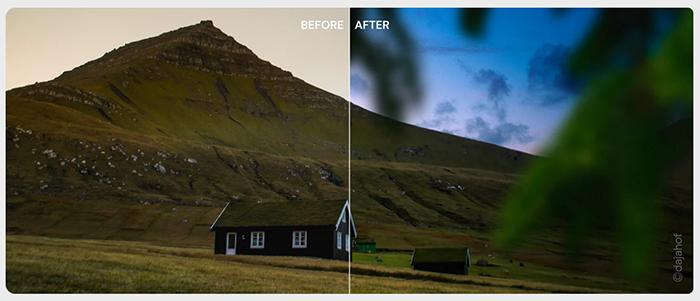
Use Sky AI to replace the sky automatically and turn an ordinary photo into an amazing one. Save an image with an overexposed sky, add a unique sky, or make a photo unforgettable — all in just one click. You can also fine-tune the results if you want more control over the image.

Apply automatic content-aware image enhancements with the Accent AI slider (find it in the Enhance AI tool). One slider lets you make dozens of adjustments to shadows, highlights, contrast, tone, saturation, exposure, details, and more.

Automatically remove spots on your images caused by dust on your lens or sensor with Remove Dust Spots.

Declutter an image with the Remove Powerlines tool that automatically removes power lines.

Explore 3D features

Luminar Neo’s powerful technologies work under the hood to help you edit your images while taking into account depth.

Emulate a 3D light source and relight the scene by taking into account the depth of a photo withRelight AI.

Create amazing portraits by simulating a bokeh effect based on image depth reconstruction with Portrait Bokeh AI.


Of course, you can use basic color corrections in your editing too: Develop, Black & White, Crop AI, Denoise, Vignette, and other tools are waiting for you.

Boost your creativity with Layers

Luminar Neo allows you to work with multiple photos on one canvas. Add image layers, move them on top of each other, use blending modes and masking modes, make collages, add double exposure effects, and do more with each layer. Easily drag, move, place, rotate, and flip one or multiple images around the base photo.

What better way to explore the new Layers feature than with a whole library of Overlays? Experiment with the effects you can achieve: play with free built-in collections, including unique lights, bokeh, wall frames, and silhouettes of people and objects. You can also add your own Overlays or expand your collection by getting Overlays from the Luminar Marketplace.

Get fast results with Presets

Presets let you make one-click adjustments to your photos, or you can use them as a starting point for further adjustments. Presets combine efficiency with creativity. By using AI to understand the strengths and weaknesses of every image, Presets automatically correct common capture problems and apply enhancements that inspire new ideas. Presets can be saved and easily synced across large batches of photos — including across sets of images from different sessions and taken in different environments — to help you create a unique style in your photos.

Buy Luminar Neo here!

Share