Luminar 2018 update adds Panasonic G9 support

Share

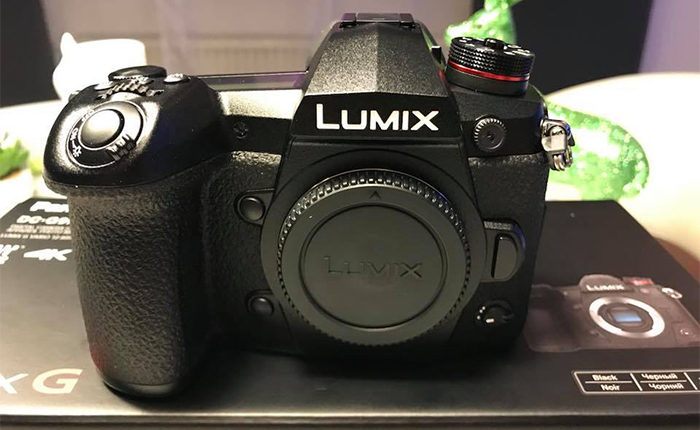
There is a new update for Luminar 2018 (Click here). It adds RAW support for the new G9 and a long list of improvements:

WINDOWS USERS

  • Work faster. Luminar can now launch more quickly.  Plus you’ll see a faster-editing performance and better RAM usage.
  • Save Native files. Be sure to save your editing projects in the new native Luminar format.  This makes it easy to come back and edit later.
  • Clone & Stamp released. Remove objects and blemishes with ease!
  • LUT Mapping. Any LUT you’ve chosen can now be stored to a preset with no need to link to the original .cube file.
  • More export control. You can choose to export to the Adobe RGB wide color profile or the ProPhoto RGB color space on export. You can also sharpen an exported file which is great for printing.
  • Better masking controls. Users can adjust both the feather and density controls on a mask to refine the blending of layers. When editing a mask, a user can also press the X hotkey to toggle between Paint/Erase brush mode.
  • More editing control. Now even more raw formats can be edited natively with our RAW Develop filter.  All filters also support advanced blending mode options as well.

MAC USERS

  • Work faster. We’ve improved compatibility with OS X 10.10, 10.11 support. The Histogram also updates in real-time. Users will also enjoy Performance and RAM usage improvements. When editing press Cmd+L to quickly access the Filters list as well.
  • RAW image improvements. Luminar does a better job of detecting noise in a raw file and automatically fixing it when you open to a photo.  DNG file support is also improved for easier editing. Plus even more raw formats can be edited natively with our RAW Develop filter.
  • Improved workflow with other applications. We’ve addressed several small bugs reported when working with Adobe Photoshop, Adobe Photoshop Elements, Adobe Lightroom, and Photos for Mac.
  • Better batch processing. A streamlined user interface makes batch processing even easier to fix multiple photos at once. Additional improvements also made to address user-reported issues.
  • Improved Native files. Save your editing projects in the native Luminar format which makes it easy to come back and edit in the future. Plus files can be shared between Mac and Windows users.
  • LUT Mapping. Any LUT you’ve chosen can now be stored to a preset with no need to link to the original .cube file.
  • More plugin support. Luminar can also use Topaz plugins within the Luminar editing workflow.
  • Improved exports. Photos can now be exported to SmugMug for online sharing.  The Sharpen on Export filter is also improved for crisper images.
  • Better masking controls. Users can adjust the density controls on a mask to refine the blending of layers. When editing a mask, a user can also press the Backspace hotkey to reset gradient/radial mask drawing.

Don’t forget you get $10 off using our code “43RUM” when buying Luminar 2018.

Panasonic G9 preorders at [shopcountry 70044].

Share

Panasonic GH5 with free 25mm f/1.7 lens at Amazon US

Share

There is a new large Stock of GH5 with free stuff bundle on sale at Amazon US. On one of them you even get the 25mm lens for free.

More deals:
Free $100 gift card with Panasonic lenses at BHphoto.
You get 20% back on select items (Click here) with an Amazon Prime credit card. The list of items includes many Rokinon MFT lenses (full list here).
Til Dec 31 you get these holiday deals on the Luminar 2018 (Click here) and the Aurora HDR (Click here). Save additional $10 at checkout with code “43RUM”
Panasonic deals overview page at Adorama, Amazon, BestBuy, BHphoto, Panasonic store.
Special Olympus deals overview page at GetOlympusBHphoto, Adorama, Amazon, BestBuy, FocusCamera.

Share

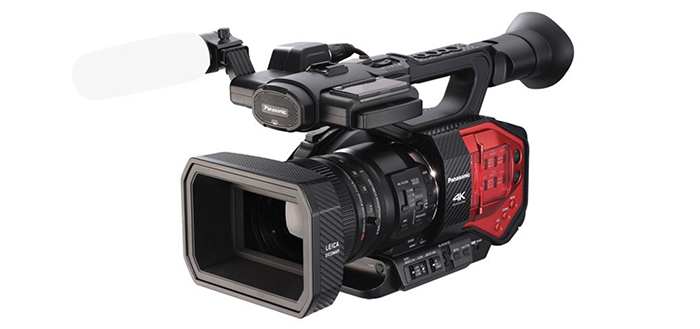
Updated DVX200 will be released in early 2018

Share

A source shared this info:

Panasonic is going to release an updated to the DVX200 with a fixed lens in 2018 to compliment the GH5s release. The camera will use a similar sensor with alterations and modifications for the camcorder body. The body of the camera will be reduced in size substantially and will be lighter, it is not known if it will be the same design as the EVA1 but indications are that it will. They are talks of offering an f2.8- f4 parfocal lens, but some are pushing for an f2.8 if they can manufacture it in the zoom range. In order for the new DVX or whatever the new camera is called to compete with the GH5s it will need some additional selling points as it will be priced around the same as the current DVX200 which is twice the price of the proposed GH5s.
It will have SDI, HDMI, dual XLR’s the name ND’s as the EVA1, USB3 and likely a new 4″-5″ touchscreen as well as wireless and remote control via an app. As the camera will not have the issues of dealing with interchangeable lenses it is hoped to improve on many of the other features of the DVX200.
It may do away with the viewfinder and instead offer a 4″-5″ daylight viewable LCD.

Share

TheCameraStoreTV says the GH5 is the best video camera and the 8-18mm the best lens of the year

Share

This is the Best & Worst Photo/Video Gear of 2017 for Chris and Jordan:

Best camera:
First place: Nikon D850
Second place: Sony A7rIII
Third place: Fuji X-T20

Best Lenses:
First place: Leica 8-18mm MFT lens
Second place: Fujinon 18-55mm
Third place: Sony 85mm f/1.8

Best Video camera:
first place: Panasonic GH5
second place: Panasonic EVA1
thirs place: C200

I bet the GH5s will be the next years winner :)

Share

a bit of everything…

Share


Olympus OM2 + Ektachrome 5071 ~ street photography review

Fun with Fast Primes on the m43 system (Jim Chung).
Irix 15mm F2.4, 11mm F4 lenses and Irix Edge 100 filter system (Personal View).
12 Great Gifts for Emerging Filmmakers (Explora).
Interview With Grant Petty, Blackmagic Design’s Founder – The Man Who Wants to Change the TV Industry (Cinema5D).

Plenty of news on the facebook E-M1II group and the GH5 group.

Olympus Spain:Ya está disponible la guía de uso de la OM-D E-M1 MARK II realizada por Martin Gallego y Fernando Rey.. Descárgatela en: http://www.esolympus.es/guia-em1-markii

Marc:I have just discovered, by chance, the Olympus “Movie Guide” for the E-M1 Mark ii:
http://cs.olympus-imaging.jp/en/support/imsg/digicamera/download/manual/omd/man_em1m2_mg_e.pdf


Share