
GH5-GH5s-G9 firmware update released!

Share

You can now download the firmware update here: http://av.jpn.support.panasonic.com/support/global/cs/dsc/download/index.html. And on the video above you see a first autofocus test with the new firmware!

DC-G9 Firmware Update

Panasonic offers firmware update program for DC-G9 to enhance the performance and usability.

1. Improvement of AF performance
• AF tracking performance in video recording has been improved.

2. Improvement of Body I.S.(Image Stabilizer) performance
• There were cases where peripheral distortion occurred in video recording while walking when used with Panasonic wide zoom lenses (H-F007014, H-E08018). This bug has been fixed.

3. Improvement of High Resolution Mode
• Performance of motion correction has been improved.
• Minimum F11 aperture can be used.
• There were cases where the High Resolution Mode is force-quit when switching to playback mode. This bug has been fixed.

4. Improvement of sound recording performance
• Sound quality has been improved by optimizing the noise reduction performance of internal noise cancelling microphone.

5. New functions
• [L.Monochrome D] has been added to Photo Style.
• [Grain Effect] can be added and adjusted in Photo Style.
• [Live View Boost] has been added, which makes it easy to check the composition on the monitor in low-light environment.
• Maximum 20x enlarged view is available in [MF Assist].
• [Focus Ring Lock] has been added to [Custom] menu, which disables focus ring operation to lock the focus.
• [WB/ISO/Expo. Button] has been added, which enables adjustment of WB/ISO/Exposure only while the exposure compensation button is pressed. This can be set [Custom]>[Operation].
• [Dial] has been added to [Custom]>[Operation Lock Setting].

6. Other improvements
• [Focus Ring Lock], [E-Stabilization(Video)], [Mic Rec Level Disp.], [Live View Boost],and [L.Monochrome D] can be assigned to the Fn button that works in recording mode.
• It is possible to choose images from group display such as burst shots in [RAW Processing] mode.
• Restarting time from sleep mode has been shortened while using Image App and Bluetooth connection.
You can choose to shorten the time of remote operation and image transfer or remote shutter control in [Setup]>[Bluetooth]>[Returning from Sleep Mode].
• There were cases where folder name was garbled when connecting wirelessly with Windows10-based PC. This bug has been fixed.

DC-GH5S Firmware Update

Panasonic offers firmware update program for DC-GH5S to enhance the performance and usability.

1. Improvement of AF performance
• AF performance of photo shooting under low-light, low-contrast environment has been improved.
• AF speed at 180d (180°) has been improved when displaying the shutter speed in degrees in [SS/Gain Operation]>[ANGLE/ISO].

2. Improvement of sound recording performance
• Sound quality has been improved by optimizing the noise reduction performance of internal noise cancelling microphone.

3. New functions
• [L.Monochrome D] has been added to Photo Style.
• [Grain Effect] can be added and adjusted in Photo Style.
• [Focus Ring Lock] has been added to [Custom] menu, which disables focus ring operation to lock the focus.
• [WB/ISO/Expo. Button] has been added, which enables adjustment of WB/ISO/Exposure only while the exposure compensation button is pressed. This can be set [Custom]>[Operation].
• [Dial] has been added to [Custom]>[Operation Lock Setting].

4. Other improvements
• [Focus Ring Lock], [E-Stabilization(Video)], [Sound Rec Level Disp.] and [L.Monochrome D] can be assigned to the Fn button that works in recording mode.
• Vector Scope can be displayed on the screen while adjusting white balance.
• It is possible to choose images from group display such as burst shots in [RAW Processing] mode.
• There were cases where the Image Stabilizer icon was not displayed when switching the settings of Image Stabilizer using the Fn button on the H-ES200 interchangeable lens. This bug has been fixed.
• There were cases where folder name was garbled when connecting wirelessly with Windows10-based PC. This bug has been fixed.
DC-GH5 Firmware Update

Panasonic offers firmware update program for DC-GH5 to enhance the performance and usability.

1. Improvement of AF performance
• AF tracking performance in video recording has been improved.
• AF speed at 180d (180°) has been improved when displaying the shutter speed in degrees in [SS/Gain Operation]>[ANGLE/ISO].

2. Improvement of Body I.S.(Image Stabilizer) performance
• There were cases where peripheral distortion occurred in video recording while walking when used with Panasonic wide zoom lenses (H-F007014, H-E08018). This bug has been fixed.

3. Improvement of sound recording performance
• Sound quality has been improved by optimizing the noise reduction performance of internal noise cancelling microphone.

4. New functions
• [L.Monochrome D] has been added to Photo Style.
• [Grain Effect] can be added and adjusted in Photo Style.
• [Live View Boost] has been added, which makes it easy to check the composition on the monitor in low-light environment.
• [Night Mode] has been added, which reduces glaring on the screens when recording in low-light environment.
• Maximum 20x enlarged view is available in [MF Assist].
• [Focus Ring Lock] has been added to [Custom] menu, which disables focus ring operation to lock the focus.
• [WB/ISO/Expo. Button] has been added, which enables adjustment of WB/ISO/Exposure only while the exposure compensation button is pressed. This can be set [Custom]>[Operation].
• [Dial] has been added to [Custom]>[Operation Lock Setting].
• [Power/Wireless Indicator] has been added in [Setup] menu, which enables turning off the status indicator and wireless connection lamp.

5. Other improvements
• [Like 709],[V-LogL*] and [V-LogL View Assist*] in Photo Style can be used in photo shooting.
• [LUT Monitor Display*] and [LUT HDMI Display*] can be used in playback mode.
* Upgrade Software Key DMW-SFU1(sold separately) is required.
• [Focus Ring Lock], [E-Stabilization(Video)], [Mic Rec Level Disp.], [Live View Boost],[Night Mode] and [L.Monochrome D] can be assigned to the Fn button that works in recording mode.
• [LUT Monitor Display*],[LUT HDMI Display*] and [Night Mode] can be assigned to the Fn button that works in playback mode.
* Upgrade Software Key DMW-SFU1(sold separately) is required.
• Vector Scope can be displayed on the screen while adjusting white balance.
• It is possible to choose images from group display such as burst shots in [RAW Processing] mode.
• Restarting time from sleep mode has been shortened while using Image App and Bluetooth connection.
You can choose to shorten the time of remote operation and image transfer or remote shutter control in [Setup]>[Bluetooth]>[Returning from Sleep Mode].
• Remaining battery status is indicated by 1/4-gauge, indicating approximately 25% per gauge.
• There were cases where folder name was garbled when connecting wirelessly with Windows10-based PC. This bug has been fixed.

Share

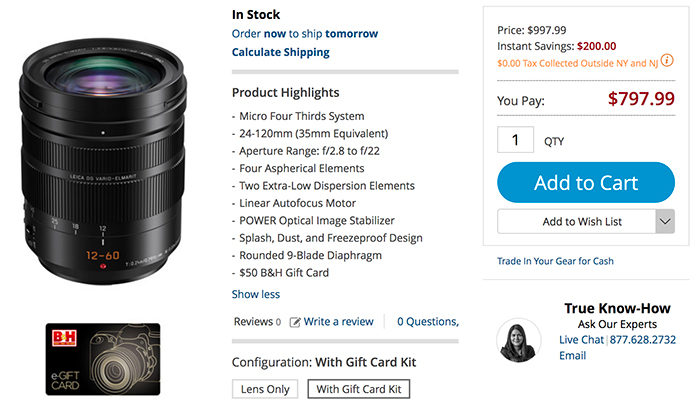
Free $50 B&H Gift Card with the Leica 12-60mm lens

Share

You get an additional $50 free gift card with the Leica 12-60mm lens sold by BHphoto.

Panasonic trade-in:
You get up to $300 trade-in bonus when buying a new GH5, G9 or GH5s camera at Bhphoto (details here) and  FocusCamera (details here).

Olympus rebates:
Over 30 reconditioned cameras and lenses are now listed at GetOlympus (Click here).
We got new rebates on OMD and PEN camera at GetOlympus. In detail:
Now $300 off on the E-M1II at Adorama, BHphoto, Amazon, GetOlympus.
Now $200 off on the E-M1II at Adorama, BHphoto, Amazon, GetOlympus.
Now $200 off on the E-M1II at Bhphoto, Amazon, Adorama, GetOlympus.

Software:
Unique 10% discount on Capture One 11 (Click here) and use the coupon code “AMB43R“.

Share

Street Photography with Olympus OM-D E-M1 Mark II (Michael Letchford)

Share

This is a guest post from Michael Letchford. The article has been first posted on www.michael-letchford.com. All images and text used with permission from the author.

Street Photography with Olympus OM-D E-M1 Mark II
e-m1 mark ii – a huge upgrade from the e-m5 mark ii?

In an earlier post I described my experiences shooting Street Photography with the OM-D E-M5 Mark II and gave many examples of the projects I shot with it over about a two year period. I still have that camera and, of course, the lenses I invested in for those projects. Coming from the Sony A7, my first mirrorless camera, I can honestly say that working with the E-M5 Mk II was a genuine revelation.

So, in this review of my subsequent upgrade to the E-M1ii, I will avoid rehearsing the specifications and technical differences between the two camera and I’ll concentrate on my practical experiences with the newer, flagship model.

Read the earlier post for details of my earlier changeover from the Sony A7 to the E-M5ii. As I said in that post, I found the E-M5ii to be an ideal camera for Street Photography, being small, light, fast in operation and silent – everything you could want to be able to make images inconspicuously working the streets of London. The autofocus was quite a surprise too – very fast to lock on to the subject and very accurate, probably because of the number of focus points and the benefit of both contrast and phase detect autofocus technology. Perfect for fast response Street work.

During those projects I also attended several workshops with photographers who were using the E-M1 Mark I and I saw first hand the advantages they were claiming for the E-M1 over the E-M5 . At that time though, the E-M1 was expected to be superseded by the Mark II version, so, although I was keen to try an E-M1, I was very happy to continue exploring the E-M5ii. In some ways, it was the better camera, having been released early in 2015 sporting Olympus’s latest technology, whereas the E-M1 was first introduced as their flagship model in September 2013. It was to be almost three and a half years before the E-M1 Mark II was actually available from suppliers! But worth the wait!

So, it was in February 2017 I was finally able to get my hands on the upgraded E-M1 Mark II. All my ‘photobuddies’ were expecting a minor upgrade, but we were all surprised at the actual difference in performance, rather than just the specification changes.

Is your Bag Safe? – Olympus OM-D E-M1ii, 12-100mm f4 at f5.6, 1/250s, ISO 200

One much hoped for change in the upgrade was for improvements in Dynamic Range from the new 20Mp sensor and in particular a practical improvement in how the camera deals with and renders highlights. The E-M5ii was really tricky in that respect, easily ‘losing’ highlight detail during capture and often exhibiting a precipitous, ‘cliff edged’ tonal gradation behaviour at the top of the exposure curve, so, you had to very carefully expose to the right in capture, constantly checking the histogram, and then be cautious in post processing to not lose the highlight detail that had survived thus far.

What about the E-M1ii then? Well, the numbers don’t quite tell the real story but I can say, in practice, that the E-M1ii is definitely able to deal with these challenges more effectively than the E-M5ii. The image above was taken in very strong sunlight with deep shadow detail and I think the E-M1ii has handled the skin highlights very well, preserving a smooth tonal gradation in the girl’s forearm and producing a quality result, and even in the sharp transitions from bright to mid-tones in the girl on the right’s face.

DxOMark Dynamic Range Olympus OM-Ds.png

Given the frustration I’d encountered with the E-M5ii, especially in post processing, and leaving aside the twenty five percent increase in sensor resolution, it was mostly this aspect of the camera body and sensor upgrade I was really primarily interested in. In terms of the raw numbers, DxOMark’s lab testing of the E-M1ii shows a small but significant enough increase in overall dynamic range versus the E-M5ii; between a half and one whole stop, depending upon ISO setting, as shown in the graph on the right here (courtesy of DxOMark Image Labs):-

The shot above was taken in London’s Covent Garden area, but this one below was taken in Paris later in the year and is another good example of how well the E-M1ii handles highlights. I don’t think I could have used this grabbed shot if it had been taken on the E-M5ii – there simply would not have been time to check all the parameters before firing the shutter:

Spooky Dancer – Olympus OM-D E-M1ii, 12-100mm f4 at f5.6, 1/400s, ISO 200

So, while we’re on the subject of Paris Street Photography, I was lucky enough to attend two of Valerie Jardin’s Paris workshops in 2017. She has a very easy going style of hosting her workshops, preferring to be out walking the streets than spending hours pouring over technique. She begins her workshops with a slideshow review of her own work – to inspire and demonstrate the possibilities in Street Photography, and, but for the last session reviewing attendees selected images on the final day, the rest of the time you are pounding the streets trying to keep up with her. I can recommend it!

Here are some more images from those days spent shooting in Paris:

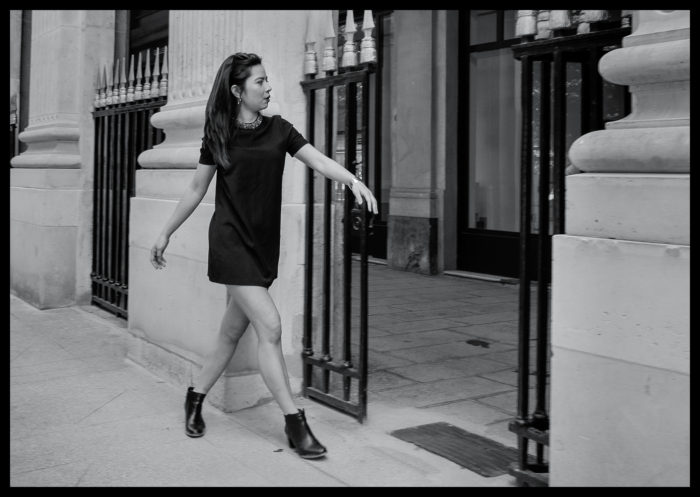
OutReach – Olympus OM-D E-M1ii, 12-100mm f4 at f5.6, 1/800s, ISO 200


Struttin’ ‘er Stuff – Olympus OM-D E-M1ii, 12-100mm f4 at f5.6, 1/100s, ISO 200
Hair Lines – Olympus OM-D E-M1ii, 12-100mm f4 at f5.6, 1/800s, ISO 200


In Sympathy – Olympus OM-D E-M1ii, 12-100mm f4 at f5.6, 1/5000s, ISO 800


Girls Aloud – Olympus OM-D E-M1ii, 12-100mm f4 at f5.6, 1/1250s, ISO 800

I’ve often wanted to try my hand at capturing a unused street scene with multiple characters and still get some sense of compositional order and a focal point, so I was quietly pleased with the attempt shown above. It’s not easy to manoeuvre inconspicuously around such a large group of excited ladies, who clearly are having the time of their lives, all dressed up, constantly on the move and, quite obviously, raring to go to the party!

f…..What!!? – Olympus OM-D E-M1ii, 12-100mm f4 at f5.6, 1/10s, ISO 200

This image above shows quite a change of pace and demonstrates another strength of the E-M1ii that of its image stabilisation, both in-body and in-lens. This was hand-held shot taken at 1/10th sec using the long zoom and yet pretty nearly perfectly stable. I was impressed; yet again.

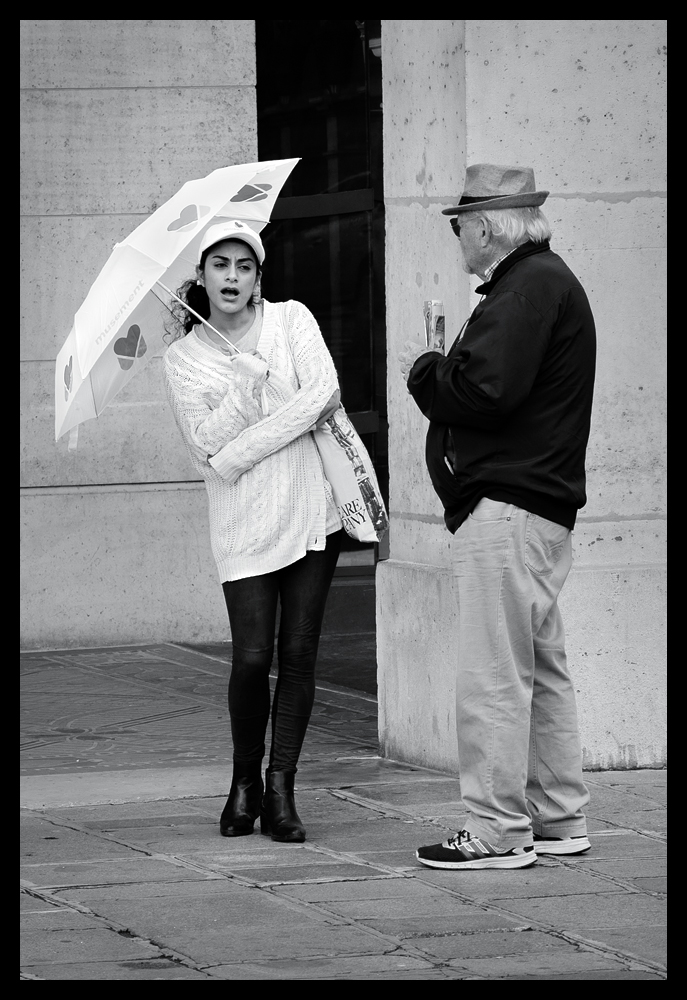
The image below is probably going to remain one of my all-time favourites. It was taken just a few yards from the image above. I noticed the scene out of the corner of my eye, raised the camera to shoot, fired the shutter release and a fraction of a second later, he was gone! Her expression says it all.

The Proposition – Olympus OM-D E-M1ii, 12-100mm f4 at f5.6, 1/160s, ISO 200


Final Offer – Olympus OM-D E-M1ii, 12-100mm f4 at f5.6, 1/100s, ISO 200


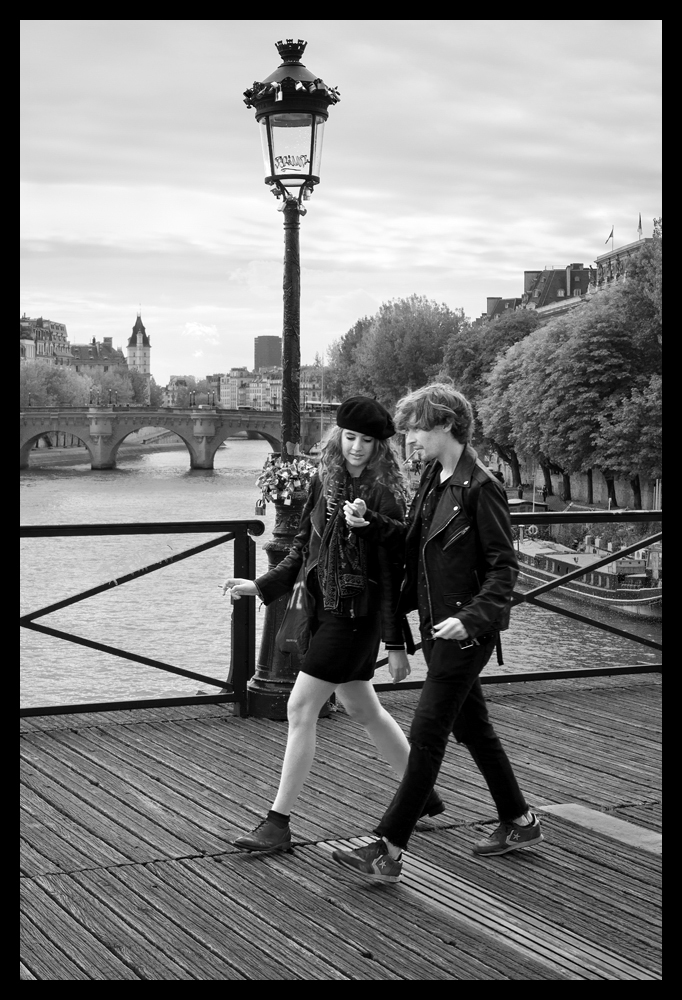
Smokin’ Connection – Olympus OM-D E-M1ii, 12-100mm f4 at f5.6, 1/200s, ISO 200


The Chase – Olympus OM-D E-M1ii, 12-100mm f4 at f5.6, 1/250s, ISO 800

Finally, for the last few examples, I’m returning to my favourite capital city – London. It’s just a quirky as Paris, of that there is no doubt, but there are times when I come across scenes that just defy explanation:

Paper Boy – Olympus OM-D E-M1ii, 12-100mm f4 at f4, 1/125s, ISO 200

Just to demonstrate, once again, the improvement the E-M1ii offers when dealing with challenging lighting:


Forkin Sun – Olympus OM-D E-M1ii, 12-100mm f4 at f10, 1/400s, ISO 200

And finally, a touch of humour and our beloved quirky Britishness:


Jumping for Joy – Olympus OM-D E-M1ii, 12-100mm f4 at f4, 1/125s, ISO 200

conclusions

I could not be more pleased with upgrade from my Olympus OM-D E-M5ii to the new Olympus E-M1ii. It has given me a tool that provides for any shooting situation I am likely to encounter working in Street Photography. The new sensor, uprated resolution, rapid autofocus with contrast and phase detection, superb stabilisation, increased dynamic range. lower noise, better performance in highlight roll-off and, just as importantly, superb handling in the field.

Absolutely Highly Recommended.

Visit: www.michael-letchford.com.

Share

Reminder: Big Olympus Cashback deals in Europe

Share

Full details can be found at Olympus Germany, Olympus UK, Olympus France, Olympus Italy, Olympus Spain, Olympus Netherland.

These are the savings in Germany:

Kameras*:

Objektive:

Share

a bit of everything…

Share


Olympus TG-5 Best Camera Settings for Underwater Photography Part 1: Macro Photo with a Strobe

New Oriental Hobby grip for the GX9 (DC.watch).
Hohem Smartphone Gimbal (Personal View).
Pocketable Power: The Bolt PocketMax Battery Pack (Explora).
Kowa Prominar MFT 12 mm f/1.8 T1.9 – sample images (Lenstip).

Share your best pictures on our new Instagram MicroFourThirdsGallery.

Plenty of news on the facebook E-M1II group and the GH5 group.

Dave:Wondering if you’d share short video shot on the GH5 during a mid-term autumn break here in Australia. A weekend on a quiet river under the largest river red gum forest in the world. The perfect antidote to work and city life. On a side note: I’m loving the new colour tools in the latest version of FCPX; and can confirm that Safari browser will not show 4K videos recently uploaded to YouTube – the workaround is to use Chrome. LINK: https://youtu.be/_-DGT9OPhAs


Share

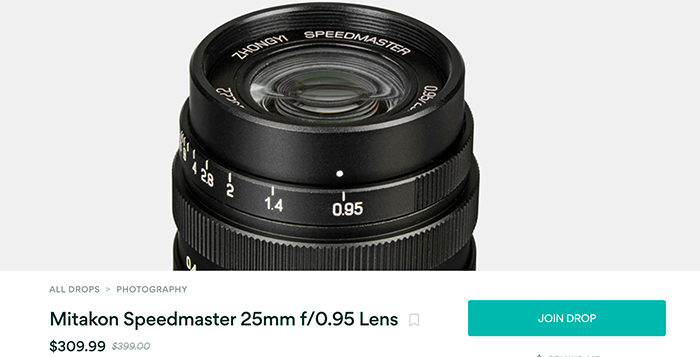
Mitakon Speedmaster 25mm f/0.95 for $309 only at Massdrop

Share

You get this superfats lens with a $90 discount at Massdrop.

Panasonic trade-in:
You get up to $300 trade-in bonus when buying a new GH5, G9 or GH5s camera at Bhphoto (details here) and  FocusCamera (details here).

Olympus rebates:
Over 30 reconditioned cameras and lenses are now listed at GetOlympus (Click here).
We got new rebates on OMD and PEN camera at GetOlympus. In detail:
Now $300 off on the E-M1II at Adorama, BHphoto, Amazon, GetOlympus.
Now $200 off on the E-M1II at Adorama, BHphoto, Amazon, GetOlympus.
Now $200 off on the E-M1II at Bhphoto, Amazon, Adorama, GetOlympus.

Software:
Unique 10% discount on Capture One 11 (Click here) and use the coupon code “AMB43R“.

Share

Why should Olympus venture into full frame in 2019 (by sneye)

Share
[shoplink 28222 ebay][/shoplink]
Image on top. The “Full Frame” [shoplink 28222 ebay]OM-1 film camera[/shoplink].
This is a guest post from our reader Sneye:
Why should Olympus venture into full frame in 2019

I have been a mostly satisfied user of the 4/3 and Micro 4/3 systems for the past decade. I always considered those systems good enough for my needs and enjoyed their versatility and endurance a lot. But the times are changing and with smartphone cameras edging ever closer to the established systems in image quality and in usability – 2019 might be the right time for Olympus to try something new. Here’s why.

2019 will mark the beginning of the process whereby Canon and Nikon abandon their mirrored mounts. This is expected to give the camera market a good shake. Long time users of Canon or Nikon gear will be freed off their imposed loyalty. It’s a good timing for smaller players to throw in their own disruptions. Olympus has acquired some expertise in various aspects of the mirrorless  technology and imaging in general. These days it offers a system that is physically robust, offers great JPEG out of the camera and is mostly fuss-free due to great AF and stabilization. Combine this low-maintenance philosophy with a larger sensor and you have serious competition to every other system on the market. Olympus will be bound to design and produce many new lenses in a short time, but so will Canon and Nikon. If the back flange distance is large enough, good lenses could be small and relatively simple to manufacture.

The progress in sensor technology has been slowing down in the past decade. Thus no real improvements in image quality are expected between camera generations, which manifests itself in a slowing market. In such a climate players are compelled to increase margins by concentrating on high-end products. Tge high pricing of the E-M1 mark II puts it in uncomfortable competition with larger formats. Olympus will not be able to get away with it for long. It will have to either reduce the price of its flagship or make it more competitive. To many users lens size alone is not regarded an adequate justification for paying a premium.

Phone cameras have been nibbling at the market for a while now and with multiple synchronized exposures becoming standard Micro 4/3 does not seem advantageous enough for Olympus to sit on its laurels. Of course, some aspects of computational imaging will make their way into “real” photography, but others will not due to bulkiness and complication. A larger sensor will at least buy Olympus a few more years in the game.

Bildschirmfoto 2016-01-22 um 07.22.30
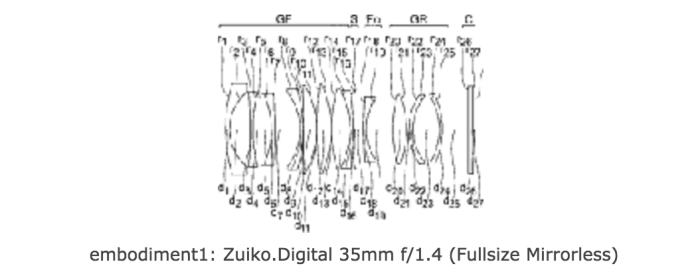
The Olympus patent describing a 35mm f/1.4 FF lens for a FF mirrorless
Evidence

2019 is Oly’s century anniversary. A good occasion to rethink and replan. Iit’s a good occasion to release something special, too.
Olympus has filed a few FF lens patents. As far as I know they are yet to be incarnated in actual optics in other systems, so they might be intended for use by Olympus itself.

The latest rumor suggests a new OMD camera announcement early next year. The time frame does not match the life cycles of existing OMDs (the E-M5 mark III should be announced before Photokina), but rather Canon’s and Nikon’s mirrorless announcements.

To end this discussion, I personally think that the real life advantage of full frame cameras over 4/3 has never been less significant (I use both formats). Most Micro 4/3 users do not need FF, even many of those who think they do. Nevertheless, due to a peculiar combination of circumstances Olympus can benefit from such an investment. Refraining from making it might mark the beginning of the end for Olympus Imaging.

Sneye


Share