New Luminar Jupiter 2018 has Snappier Performance, Camera/Lens Profiles, Batch Processing and more!
Skylum released the update 1.2.0 for Luminar 2018. It includes adding Batch Processing and a Free Transform tool to the Windows version.
If you plan to buy Luminar use the coupon code “43RUM” you will get $10 off:
– The update is free for all current users of Luminar 2018.
– Current users of Luminar 2017 may upgrade for $49 ($39 with your coupon code);
– New users can purchase Luminar 2018 for $69 ($59 with your coupon code);
Luminar 2018 link: https://macphun.evyy.net/c/60087/320119/3255.
Luminar 2018 link to the Trial page: https://macphun.evyy.net/c/60087/339971/3255
–
Press text:
New Update to Luminar 2018 Brings Snappier Performance
Luminar Jupiter is now 3x faster and more responsive, and gets new pro features and over 300 other improvements.
Bellevue, WA – April 12, 2018 — Skylum Software today released the latest free update to Luminar 2018 which brings significant performance enhancements, improved RAW conversion and key-feature parity of Mac and Windows version with Batch processing, Free Transform, and Flip and Rotate features on Windows. Dubbed the “Jupiter” release, this latest version allows users to edit photos much faster with better quality results.
While enhancing speed and overall app performance was the major focus for the Jupiter update, Skylum also dramatically improved the RAW Develop filter with new tech to provide better color and less noise, plus incorporated automatic lens distortion removal. The result is a superior, cleaner starting image, ready for further editing.
“Our loyal community of users continues to offer ideas for new features that would benefit their respective workflows, and we’ll keep on listening, learning and improving our products,” said Alex Tsepko, CEO of Skylum. “Our goal is to produce fast, easy, and feature-rich imaging software that can offer both single-click solutions as well as custom functions for those who want absolute control.”
Many photographers are looking for two things to make their editing workflow more efficient: first is a high-quality RAW converter to unlock the best image their camera has produced; one that’s rich in detail and color, while free from noise and artifacts. The second is speed – a responsive application that matches pace with a photographers workflow, and makes it easy to edit photos to look their best, is one that will be the #1 choice. Luminar Jupiter brings both qualities to photographers of any skill level.
WHAT’S NEW
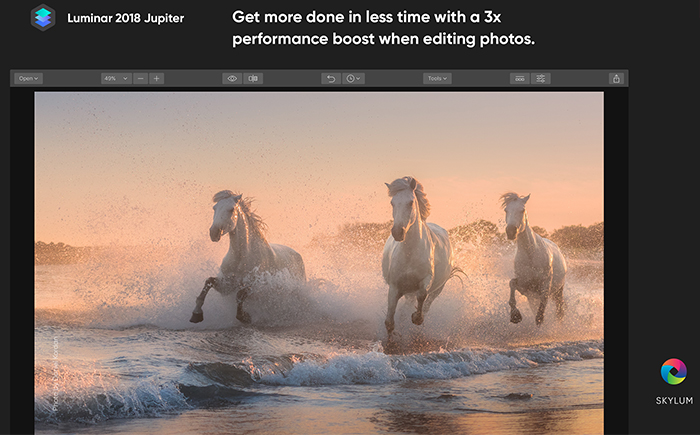
Speed improvements to get more done in less time
Skylum has dramatically increased the speed of editing across all areas of Luminar. Now images open faster, filters apply quicker, and the entire application is more responsive.
1. Most users will see snappier sliders as they’ve gained performance boosts of 3-25x for easier adjustments.
2. Luminar better uses the operating system for faster performance, with many operations seeing significant boosts.
Luminar Jupiter also got numerous interface and user experience improvements based on users’ feedback for an improved editing experience. The new version has several “under-the-hood” enhancements to add stability as well as to improve performance when editing even the largest of images.
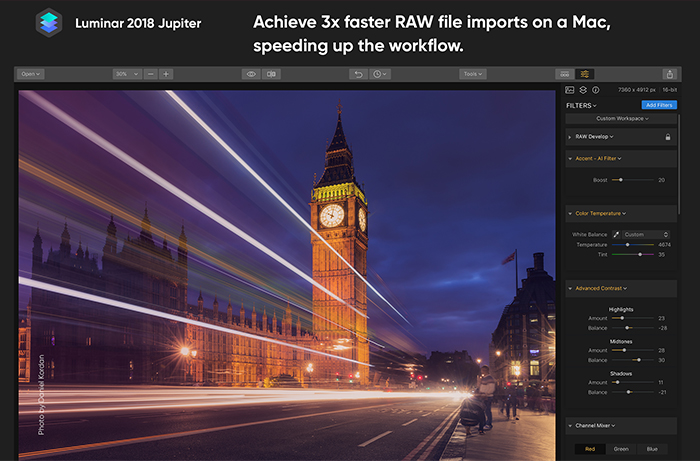
Better RAW conversion
- Better exposure calculation. Refined initial brightness setting for RAW files produces a perfect match to how a camera saw the scene.
- Cleaner gradients. Improved de-mosaic process for even cleaner image conversion, i.e. smooth transitions in areas like skies and shadows for accurate color and less noise.
- Fewer halos. If an image has high contrast areas, the improved Defringe option will help with backlit areas or strong contrast.
- More cameras, better compatibility. Now even more RAW formats can be edited natively with the RAW Develop filter. Plus, a large set of existing camera modules have been refined for even better RAW conversion.
- Reduced chromatic aberration. If a lens shows color artifacts in high contrast or backlit areas, the new Auto Chromatic aberration removal option will help to get rid of green and cyan shifts.
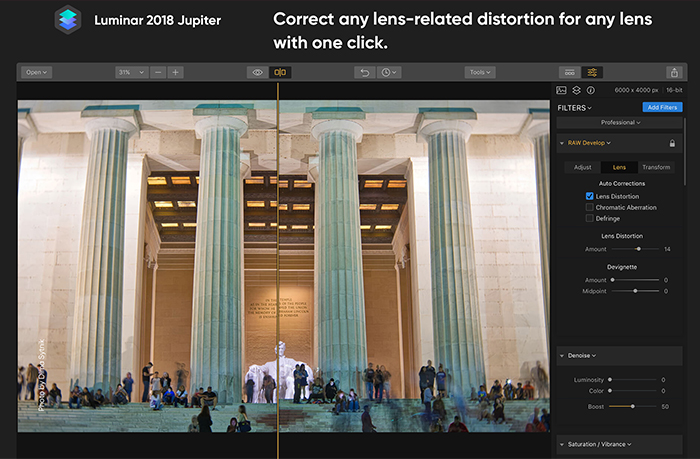
Automatic lens distortion removal
Getting the perfect shot is now easier than ever. The RAW Develop filter analyzes an image and its metadata to calculate an Automatic Lens Distortion fix that can be applied in one-click. This is a perfect tool to get rid of wide angle distortion and get truer perspective lines and more attractive portraits.
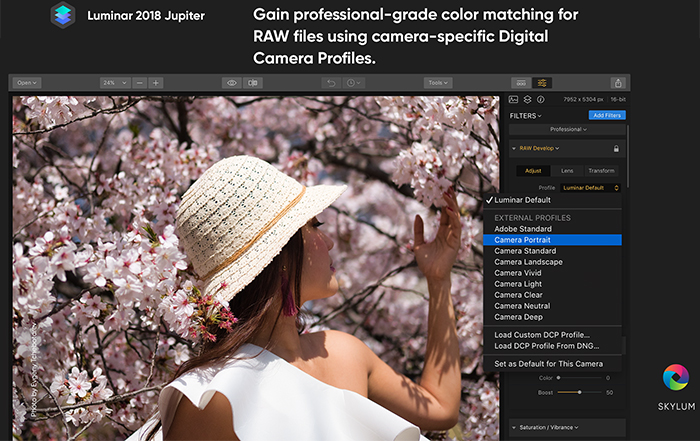
Advanced support for DCP Profiles
Luminar recognizes the industry standard DNG Camera Profile, or “DCP” files, that users may already have on their computers (or have purchased from third parties) to ensure accurate and consistent colors. Users will also be able to use DCP profiles from DNG files. This feature is currently available for Mac and will be available soon for Windows.
Essential New Features for Windows Users
The Skylum team has put a lot of effort into making the Windows experience be world-class and significantly faster. In fact, the PC version now matches the Mac version for all core features with Batch Processing, Free Transform and Flip and Rotate tools.
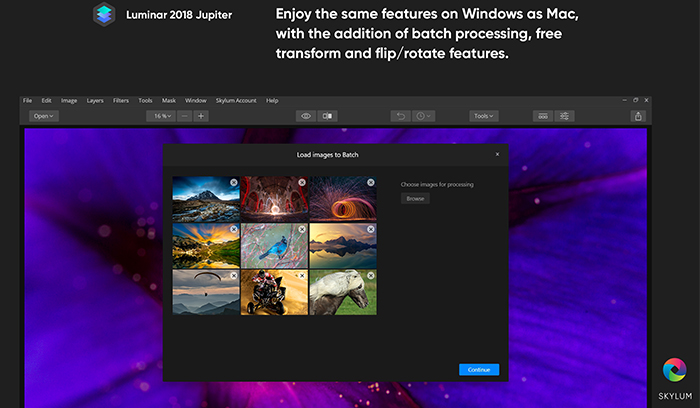
Here are some Windows-specific additions
- NEW: BATCH PROCESSING. The powerful Batch Processing workflow saves time and effort.
- NEW: EASY TRANSFORMATIONS. To easily transform the shape of an image, the Free Transform tool can scale and position an object as needed. Plus users can easily Flip and Rotate an image using the Image menu commands.
- Better cloning. Users can quickly call up the Clone & Stamp module by pressing Ctrl + J. Softness, opacity, and size of the brush can also now be modified.
- Cleaner zooms. Accelerated zooming now delivers a cleaner image at all sizes. Images appear sharper when the zoom is beyond 100% for detail work. Plus the new version provides a cleaner preview when zoomed out to see the whole image.
- Preview mode. To check out a photo free from any distractions users can now use Full Screen Preview – a great way to really study an image in detail.
- Localization support. It’s even easier to use Luminar in a different language. The localizations have been improved for greater accuracy and can now be changed from the File menu in Windows version.
- Better masking controls. Users can create masks more easily when painting masks. Holding down the spacebar and dragging with the cursor, pans and moves the image when masking.
- Improved workflow with other applications. When using Luminar as a plugin with other applications, color profiles are properly included. This change also improves image exporting with attached profiles.
- Shared workspaces. Users can now share their custom workspaces.
–
If you plan to buy Luminar use the coupon code “43RUM” you will get $10 off:
–
The update is free for all current users of Luminar 2018.
Current users of Luminar 2017 may upgrade for $49 ($39 with your coupon code);
New users can purchase Luminar 2018 for $69 ($59 with your coupon code);
A collection of bonuses will also be included with every purchase.
OFFER AVAILABILITY: April 12 – April 29
What’s included in the offer:
-
Luminar 2018: the most powerful and technologically advanced photo editor for Mac & Windows (worth $69) – Luminar 2018 is a fast, versatile, and intuitive image editor, which can take your workflow from RAW file to fully finished image without needing to use any other image editor.
-
The Complete Landscape Photography Guide ebook from Photzy (worth $50) – An outstanding guide written by professional photographer and writer Kent DuFault. This ebook has something for everyone, with 237 pages packed full of information and assignments that will transform your landscape photography.
-
Aerial Photography & Video with Matt Granger (worth $79) – World-renowned photographer, Matt Granger will share planning, shooting and editing aerial stills and video. Matt will also demonstrate editing with Luminar 2018 on his still aerial images..
-
Photography Tutorial by Daniel Kordan (worth $29) – Extensive tutorial with a full workflow demonstration by expert landscape photographer Daniel Kordan. This tutorial includes shooting and post-processing images in Luminar 2018.
-
119 Dramatic & Romantic Sky overlays (worth $29) – This is an amazing addition to your photo editing workflow, and will help give boring skies that ‘wow!’ factor.
-
Splitsville Presets By Brian Matiash (worth $15) – Add a professional polish to your images with these cool presets.