Thank you for using OM Digital Solutions products.
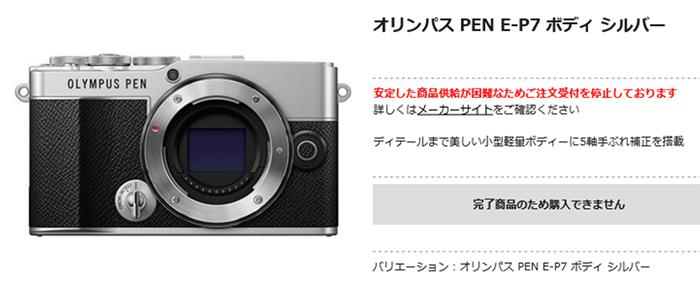
As announced on March 15, 2024, we have received orders for mirrorless single-lens cameras “PEN E-P7” and “OM-D E-M10Mark IV” that are significantly higher than planned. The situation continues to take time for delivery.
As it is expected that we will not be able to sufficiently supply products to our customers, we will temporarily suspend accepting orders from domestic retailers and our online store from April 17, 2024. For customers who have already placed their orders, we will deliver them to you as soon as they are ready.
We will consider the timing of product delivery and when we will resume accepting orders based on the future situation, and will notify you once it has been decided. We deeply apologize for the inconvenience caused to our customers and everyone involved.
We will continue to work hard to deliver the product as soon as possible, so we appreciate your understanding.
▪Products that require time to be delivered Mirrorless single-lens camera “PEN E-P7 Body” Mirrorless single-lens camera “PEN E-P7 14-42mm EZ Lens Kit” Mirrorless single-lens camera “PEN E-P7 EZ Double Zoom Kit ” Mirrorless single-lens camera “OM-D E-M10 Mark IV Body” Mirrorless single-lens camera “OM-D E-M10 Mark IV EZ Double Zoom Kit”
Like I told you recently PEN cameras are in high demand in Asia because they get hyped on social networks!
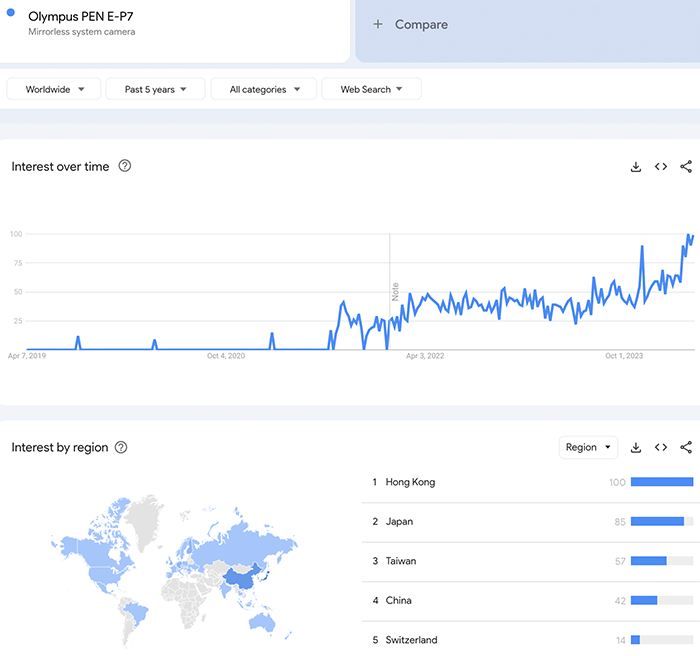
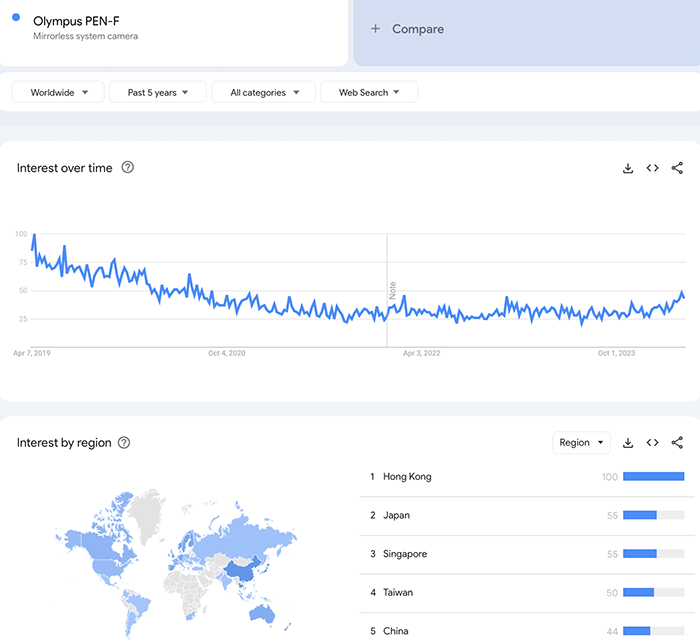
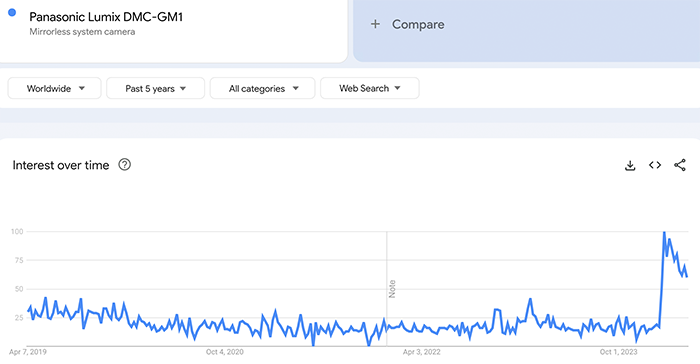
I don’t know if you were aware of a curious trend: The Generation Z shows an increased interest in older digital cameras (read report at Mirrorlessrumors). They want to use cool looking and affordable digital cameras to share their images on socials. This lead to an increase in interest on some of the older MFT cameras. See those results from Google Trends:
The E-P7 now shows more interest than ever! With Asian countries leading the trend
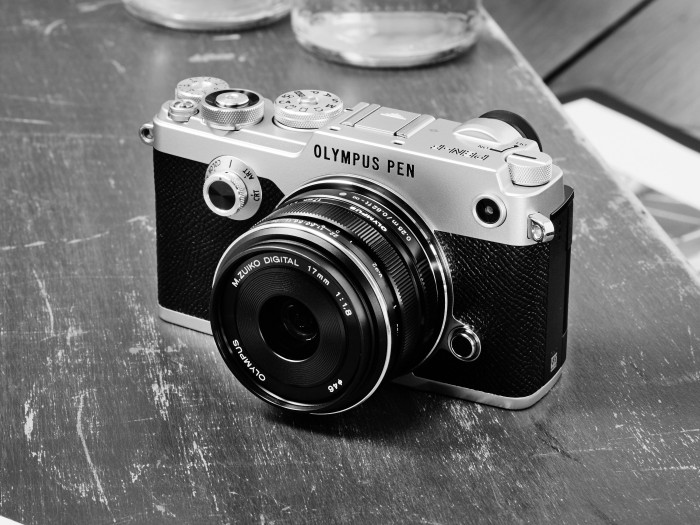
The PEN-F shows a minor increase in interest (probably because it’s more expensive or because the hype has just started?)
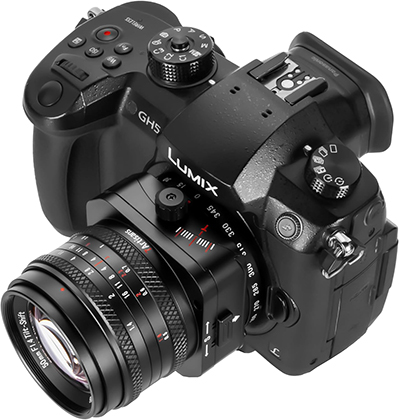
The Lumix GM1 had a sudden increase in interest. There must some hype going on on TikTok or Instagram?
Topaz just released the brand new Photo Ai 3.0 (Click here). I use this software a lot and I think it does an impressive job. The updates are really big too!
Press text:
Photo AI’s creative potential has been unlocked in this version, allowing the creation of your own workflows for the first time with presets, flexible ordering of enhancements, panel docking & collapsing, enabling RAW color and lighting adjustments, and a standardized Topaz UI across all of our applications.
Presets
Save your commonly used filter combinations into a single stack, including the filter settings and selections. Presets will then appear in the enhancement menu so that you can reuse your favorite settings and selections across any of your photos with a single click. This will speed up the process of editing large batches of hundreds or thousands of photos at a time. You can also delete old presets by hovering over them in the enhancement menu.
Docking & Collapsing
You can now dock the floating control panel on the right side of the viewport for easy access, or undock it and move it to where you need on top of your working preview area.
The right panel is also now collapsible, making more space for viewing your image while editing. For maximum space, try undocking the control panel while in collapsible mode.
Reordering
You can now re-order and combine your enhancements in any order on the right panel, allowing you to more dynamically chain effects together. For example, you can now sharpen the entire image first before denoising the background and then sharpening again with just the subject. Changing the order of the filters will affect the way the output is processed, and this freedom will allow you to achieve results that otherwise were not possible within Photo AI.
RAW Balance Color & Adjust Lighting
On top of RAW Denoise, you are now able to adjust the color balance and lighting for RAW files inside Topaz Photo AI using our AI-based filters. This allows you to get the best quality possible out of your image straight from the camera and inside the application without having to make these adjustments in an external application even for RAW files.
Other Updates
On top of these exciting updates, both Face Recovery and Preserve Text can now be applied to the image multiple times, allowing you to control the strength of the effect on different subjects and areas of the image independently. We have also added other performance improvements and fixes under the hood. Take a look at the full changelog for more.
UI Refresh
Topaz Photo AI has been updated with a standardized Topaz UI framework, with new colors and icons coming to Topaz Labs apps for a unified, streamlined look.
Changelog
Refreshed user interface with Topaz UI style
Implemented drag and reorder enhancements
Implemented basic preset functionality
Implemented docking and undocking feature
Enabled Text Recovery to be added multiple times
Enabled Face Recovery to be added multiple times
Enabled Adjust lighting for RAW images
Enabled Balance color for RAW images
Fixed Adjust lighting crash on M3 with macOS 14.4 and above
Fixed switching models on Denoise not updating the preview
Fixed export output suffix not matching enhancements order
This morning Olympus Japan issued the following note:
Currently, we are using our software OM Workspace to update the firmware of our digital cameras, but due to security enhancements associated with macOS updates, there is a possibility that camera firmware updates may no longer be possible. Therefore, if you have cameras or lenses that have not yet had their firmware updated, we ask that you update them as soon as possible. Please note that Windows update services will continue to be available. We hope that you will continue to use our products.